
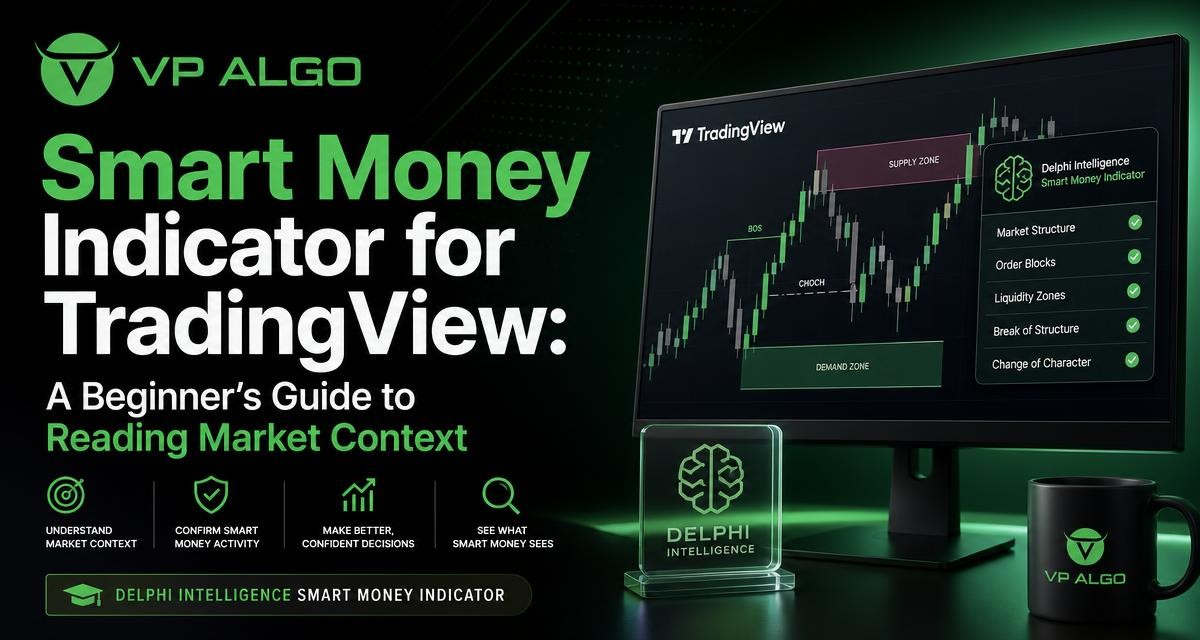
A smart money indicator for TradingView can help traders organize several parts of market analysis in one workspace. Before using the Delphi Intelligence Smart Money Indicator, however, it is useful to understand what the tool is designed to show, how access and installation work, and how its information should fit into your own decision-making process.
What is a smart money indicator for TradingView?
A smart money indicator is a chart-based tool built around the idea of studying market context rather than relying on one isolated signal. The Delphi Intelligence Smart Money Indicator combines trend analysis, momentum evaluation, market structure, institutional activity and smart money concepts to help traders assess market conditions and potential trading setups.
TradingView provides the charting environment in which the indicator is used. The indicator does not replace the chart, your analysis or your risk decisions. Instead, it is intended to give you a more structured way to review the information already relevant to a trading decision.
The phrase “smart money” is often used to describe the activity or behaviour associated with larger, more informed market participants. That phrase should not be treated as proof that an indicator can identify every institutional order or predict the next market move. In practice, smart money analysis is best understood as a framework for examining structure, momentum and possible areas of market interest.
What the Delphi Intelligence Smart Money Indicator brings together
Many traders look at trend, momentum and market structure separately. The Delphi Intelligence Smart Money Indicator is intended to bring these areas together so that you can review them as parts of the same market context. This can be especially useful for beginners who find it difficult to decide which chart information deserves attention first.
| Analysis area | What it helps you examine | Useful question |
|---|---|---|
| Trend analysis | The broader directional context shown on the chart | Is the market showing a clear directional bias or a less consistent condition? |
| Momentum evaluation | The strength or persistence behind a price move | Does current movement appear to support the wider context? |
| Market structure | How price movement develops through important structural changes | Has the market structure changed, continued or become unclear? |
| Institutional activity | Clues related to possible larger-participant activity | Is there information that deserves closer review before a decision? |
| Multi-timeframe trend assessment | How trend context differs across selected timeframes | Do the timeframes provide a consistent view or conflicting information? |
| Smart money analysis | A combined view of concepts associated with smart money trading | Does the overall picture support further analysis of a potential setup? |
This combination is not a promise of a particular outcome. A chart can present a useful-looking alignment and still move unexpectedly. The purpose of the tool is to support analysis, not to remove uncertainty from trading.
Why market context matters more than a single signal
New traders often search for a buy-and-sell indicator that can provide a simple answer on every chart. That expectation can create problems because a signal has different meaning depending on the surrounding conditions. A momentum reading during a strong directional move may deserve a different interpretation from the same reading during a choppy or unclear market.
Market context encourages you to ask several questions before treating any chart event as meaningful. What is the current trend? Is momentum supporting the move? Has market structure changed? Are different timeframes broadly aligned? Is the potential setup understandable enough to define where the idea would be invalidated?
A smart money indicator can make these questions easier to organize, but it cannot answer them without judgment. The trader remains responsible for deciding whether the information is clear, relevant to the chosen market and timeframe, and suitable for the trader’s own approach.
What to understand before requesting access
Know what the product is designed to do
Before requesting access, identify the role you want the indicator to play. The Delphi Intelligence Smart Money Indicator is designed to assist with evaluating trend, momentum, market structure, institutional activity, multi-timeframe trend conditions and smart money concepts. It is not described as a broker, a trading account, a financial adviser or a substitute for financial advice.
It is also not the same thing as an automated trading bot. An indicator displays and organizes analysis on a TradingView chart; it does not, based on the supplied product information, remove the need for your own review and trading decisions.
Check that TradingView fits your workflow
The product is intended for use with TradingView, so you should be comfortable working with TradingView charts and basic chart settings. Beginners do not need to understand every technical-analysis concept before starting, but they will benefit from knowing how to select a chart, change a timeframe and identify the information they are reviewing.
It is sensible to begin with an observation process rather than immediately building a complete trading plan around unfamiliar signals. Spend time learning what the displayed information means and how it behaves in different market conditions.
Use the available trial as an evaluation period
VP ALGO TRADING offers a request-based 7-day free trial for its indicator and Telegram channel. The trial can be treated as an opportunity to assess whether the tool fits your chart-review process. A useful evaluation is not simply a search for signals that would have worked in the past. Instead, observe whether the indicator helps you describe market context consistently and whether its presentation is understandable.
Trial availability and any related conditions should be confirmed with VP ALGO TRADING when you make your request. Do not treat a short evaluation period as evidence of future trading performance.
How access and installation work
After purchase, customers are instructed to provide their TradingView ID by email for product access. This detail is important because access depends on supplying the identifier requested by the company. Use the exact information requested and keep your purchase or support correspondence available in case you need help.
VP ALGO TRADING states that customers can contact support for installation, activation or usage assistance. If the indicator does not appear as expected, avoid repeatedly changing unrelated chart settings. First check that the correct TradingView account or ID was supplied, then contact support with a clear description of the issue.
- Confirm that you are using the TradingView account associated with the requested access details.
- Provide your TradingView ID by email as instructed after purchase.
- Look for the indicator in the relevant TradingView area once access has been activated.
- Add it to a chart and review the available display or configuration options.
- Contact support if you need installation, activation or usage assistance.
Installation is only the first step. The more important task is learning how to interpret the information without turning every visual change into an automatic trade instruction.
A practical way to use the indicator during chart review
1. Begin with the higher-level trend context
Start by asking what the wider chart context appears to be. The indicator includes multi-timeframe trend assessment, which can help you compare the broader direction with the conditions on the timeframe you are studying. If timeframes disagree, that disagreement is information rather than a problem to hide.
A conflicting view may mean that a shorter-term movement is occurring inside a broader move in the opposite direction. It may also mean that the market is less clear than a single timeframe suggests. Record the conflict and decide whether it fits your trading method before proceeding.
2. Review market structure
Next, examine how price has developed through its recent swings and structural changes. A market structure indicator can help draw attention to possible continuation or change, but the displayed information still needs context. Consider whether the apparent change is meaningful for the timeframe you are using and whether the wider trend supports it.
Do not assume that one structural event confirms a complete reversal. Market structure should be assessed as a sequence rather than as an isolated label or mark on the chart.
3. Check momentum
Momentum evaluation adds another layer to the review. Ask whether the current movement appears to have support behind it or whether price is moving without convincing follow-through. Momentum can strengthen or weaken while the broader trend remains unchanged, so it should be read alongside structure and trend rather than separately.
This is also where patience matters. A market can show an attractive combination of signals shortly before conditions change. Waiting for information to develop may be more useful than reacting to the first indication you see.
4. Consider institutional activity and smart money conditions
The indicator includes features related to institutional flow monitoring and smart money analysis. Use these features as areas for further investigation, not as confirmation that a particular institution has entered or exited a position. The available information does not establish that every displayed condition represents a known institutional order.
Ask whether the activity-related information agrees with the trend and structure you have already reviewed. If it conflicts with them, document the conflict rather than selecting only the feature that supports a preferred trade idea.
5. Define your decision before looking for an entry
A structured review should end with a clear decision rule. You might decide that the market is suitable for further analysis, that the context is too mixed, or that no setup is present. This prevents the indicator from becoming a reason to trade simply because information is visible on the chart.
If you do study a potential setup, define what would make the idea invalid before committing to it. The indicator can support that review, but it does not determine your position size, risk tolerance or final decision.
Common mistakes beginners should avoid
- Expecting certainty: No indicator can eliminate market uncertainty or guarantee profitable results.
- Treating every signal as an entry: A displayed condition may require confirmation from broader context.
- Ignoring timeframe differences: A short-term signal can conflict with a longer-term trend.
- Changing settings without understanding them: Learn what a setting changes before using it to influence your interpretation.
- Judging the product only by isolated outcomes: Evaluate whether it improves the structure and consistency of your analysis.
- Confusing an indicator with automated execution: Chart analysis still requires your own decisions and review.
- Using past charts as a promise: Historical observations do not guarantee future results.
How to decide whether this indicator fits you
The Delphi Intelligence Smart Money Indicator may be worth investigating if you want one TradingView tool that brings together trend analysis, momentum, market structure, institutional activity and smart money concepts. It may be particularly relevant if your current chart review feels fragmented and you want a more repeatable checklist.
It may be less suitable if you are looking for guaranteed buy and sell decisions, a fully automated trading bot or personalized financial guidance. Those expectations do not match the responsible use of a TradingView indicator or the stated educational and trading-decision assistance purpose of VP ALGO TRADING’s tools.
A sensible evaluation focuses on usability and discipline. Can you understand the information? Does it help you compare timeframes? Does it make your analysis more consistent? Can you use it without abandoning your own risk controls? These questions are more useful than assuming that a product must produce a particular trading result.
Questions to prepare before contacting support
Clear questions can make the access and setup process easier. Before contacting VP ALGO TRADING, note the TradingView ID you provided, the chart or account context involved, and what you expected to see. Describe whether your question concerns access, installation, activation or usage.
You can also ask which part of the indicator you should study first, how to understand the main displayed elements and where to find guidance for using the tool on your chart. Support can assist with product-related issues, but it is not a replacement for personal financial advice or a guarantee about trading outcomes.
FAQ
What is the Delphi Intelligence Smart Money Indicator?
It is a TradingView indicator from VP ALGO TRADING that combines trend analysis, momentum evaluation, market structure, institutional activity, multi-timeframe trend assessment and smart money analysis.
Is the smart money indicator for TradingView a trading bot?
No. It is a chart-based indicator intended to assist with market analysis and trading decisions. It should not be treated as an automated trading bot or as a replacement for your own judgment.
How do customers receive access after purchase?
Customers are instructed to provide their TradingView ID by email after purchase. VP ALGO TRADING can also be contacted for installation, activation or usage assistance.
Is there a free trial?
VP ALGO TRADING offers a request-based 7-day free trial for its indicator and Telegram channel. Trial availability and conditions should be confirmed directly when making a request.
Can the indicator guarantee profitable trades?
No. The indicator cannot guarantee profits, eliminate losses or predict future market results. It is positioned for educational and trading-decision assistance purposes rather than as financial advice.
What should a beginner study first?
Begin with the relationship between trend, momentum and market structure. Then compare the information across timeframes and consider institutional activity or smart money features as additional context rather than automatic trade instructions.


Recent Comments