
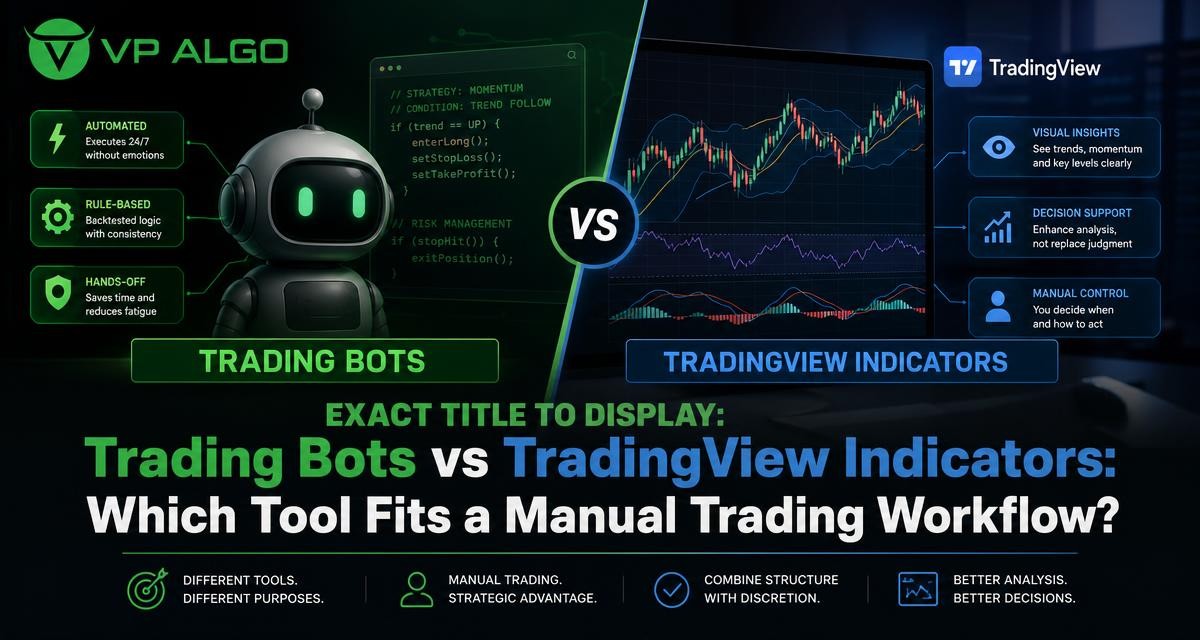
A trading bot and a TradingView trading indicator serve different purposes. A bot is designed to follow programmed rules with limited or no manual intervention, while an indicator helps a trader interpret chart information and decide what to do. For a manual trading workflow, that distinction matters: the right tool should support a repeatable decision process without replacing judgment, risk controls, or market awareness.
What is the difference between a trading bot and a TradingView indicator?
A trading bot is software that can evaluate conditions according to predefined rules and, depending on how it is configured, generate alerts, place orders, manage positions, or perform other automated tasks. Its value comes from execution and consistency. Once the rules are defined, the bot can apply them without requiring the trader to review every chart manually.
A TradingView trading indicator is primarily an analysis tool displayed on a chart. It may calculate trend, momentum, market structure, volume-related information, or other conditions and present the results through lines, labels, zones, or alerts. The trader remains responsible for interpreting the information and deciding whether a setup fits the broader plan.
| Feature | Trading bot | TradingView indicator |
|---|---|---|
| Primary role | Automates rule-based actions or execution | Organises and displays market information |
| Human involvement | May be limited after configuration | Usually remains central to the decision process |
| Typical output | Alerts, orders, position actions, or automated checks | Chart signals, readings, labels, levels, or visual context |
| Main strength | Consistency in applying defined rules | Flexible interpretation and contextual analysis |
| Main responsibility | Testing, configuration, monitoring, and technical controls | Analysis, trade selection, execution, and risk management |
The two tools can exist in the same overall process, but they should not be treated as interchangeable. An indicator does not automatically become a complete trading system simply because it displays signals. Likewise, a bot does not remove the need to understand its rules, assumptions, and operating conditions.
How a trading bot fits an automated workflow
A trading bot is most useful when a trader has a clearly defined method that can be expressed as objective rules. For example, a system might specify when a condition is present, what invalidates it, how an action should be triggered, and how an open position should be handled. The more precise the rules, the easier it is to assess whether automation is appropriate.
Automation can reduce some forms of hesitation and inconsistency. A bot does not become tired, distracted, or emotionally attached to a position in the same way a person can. However, this consistency only applies to the instructions it receives. If the rules are incomplete, poorly tested, or unsuitable for changing market conditions, the bot may apply those weaknesses consistently as well.
What traders must manage when using a bot
- Rule design: The entry, exit, invalidation, and position-management logic must be sufficiently clear to automate.
- Testing: The trader needs to examine how the rules behave under relevant conditions rather than assuming that automation makes them reliable.
- Technical operation: Connectivity, platform settings, permissions, and software behaviour can affect how an automated process operates.
- Monitoring: Automation still requires oversight. Market conditions, data issues, or unexpected behaviour may require attention.
- Risk controls: A bot should be considered a process that requires defined limits, not a substitute for responsible risk management.
These requirements make a trading bot a substantial commitment for many manual traders. The challenge is not only choosing software. It is translating a trading idea into rules that are specific enough for a machine while still making sense in the market context where they will be used.
How a TradingView trading indicator supports manual analysis
A TradingView trading indicator can help a manual trader organise several parts of chart analysis in one visual workspace. Instead of relying on memory or switching between disconnected observations, the trader can use indicator readings as prompts for a structured review of trend, momentum, market structure, and other relevant conditions.
The indicator does not make the final decision for the trader. It can highlight information, but the user still needs to ask whether the reading is relevant to the current timeframe, whether the market context supports the setup, and whether the proposed trade fits the trader’s own rules. This makes an indicator especially suitable for traders who want guidance without handing every decision to an automated process.
Common areas an indicator can help organise
- Trend analysis: A trader can assess the broader direction before considering a setup.
- Momentum evaluation: Momentum readings may help show whether a move has strength or is losing participation.
- Market structure: Structural information can help a trader study swings, breaks, and changes in the way price is developing.
- Institutional activity and smart money concepts: These frameworks can provide another lens for reviewing market behaviour and potential areas of interest.
- Multi-timeframe assessment: Reviewing more than one timeframe can help place a lower-timeframe observation within wider chart context.
Features such as these are intended to support analysis rather than guarantee an outcome. A signal or visual marker is a starting point for investigation. It should be considered alongside price behaviour, the trader’s plan, and appropriate risk controls.
Why manual traders may prefer an indicator
Manual trading is not necessarily unstructured trading. Many manual traders want to make the final decision themselves but also want a repeatable way to review the chart. A well-organised indicator can provide that structure without forcing the trader to automate execution.
This approach can be useful for traders who interpret context differently from one setup to another. A market may show a favourable trend but weak momentum, or a structural development that does not fit the wider timeframe. A manual workflow allows the trader to weigh those observations instead of treating one isolated signal as an automatic instruction.
Situations where an indicator may be the better fit
- You want to remain involved in chart review and trade selection.
- Your method depends on context that is difficult to express as a fixed rule.
- You are still refining your understanding of trend, momentum, and market structure.
- You want visual prompts rather than automatic order placement.
- You prefer to review a setup before deciding whether it meets your plan.
- You want to study how different market conditions affect your decisions.
For these users, a TradingView indicator can act as a decision-support layer. It can help reduce the chance of overlooking a relevant factor while leaving room for the trader to reject a setup that does not meet the full plan.
When a trading bot may be the better fit
A trading bot may suit a trader who has already developed a precise, repeatable methodology and wants to reduce manual execution. The key question is not whether automation sounds attractive. It is whether the trader’s process can be represented accurately enough in code or software rules.
Automation may also appeal to traders who struggle to apply their own rules consistently during fast-moving periods. A bot can follow the programmed conditions without pausing because of fear or excitement. Even so, the trader remains responsible for understanding the system and deciding whether its operation is appropriate for the intended workflow.
Questions to answer before choosing a bot
- Can the method be described in objective terms without relying on vague chart intuition?
- What exact conditions trigger an action, and what conditions cancel it?
- How will the process respond when market behaviour differs from the conditions used to design it?
- What monitoring and intervention will still be required?
- Which technical permissions, platform connections, or software settings are involved?
- How will the trader review and control risk independently of the bot’s signals or actions?
If these questions do not have clear answers, a manual indicator-based workflow may be a more practical starting point. It allows the trader to make the process more explicit before attempting to automate it.
Indicator signals are not the same as trading instructions
One common mistake is to treat every label, line, or signal as a direct buy or sell instruction. Indicators calculate or organise information according to their design. They do not know a trader’s complete circumstances, objectives, tolerance for risk, or reasons for taking a position.
A more careful workflow treats an indicator reading as one stage in a checklist. The trader can first identify the broader trend, review momentum, examine market structure, and consider whether the higher and lower timeframes tell a consistent story. Only then should the trader decide whether the setup deserves further consideration under the rules of the trading plan.
An indicator can make a process more structured, but the quality of the process still depends on how the trader interprets information and manages decisions.
Using a TradingView indicator in a structured manual workflow
A manual workflow becomes more useful when it is repeatable. The exact checklist will differ between traders, but the following sequence shows how a TradingView trading indicator can support analysis without taking control of the decision.
1. Define the market context
Start by identifying the relevant timeframe and the general condition being studied. Is the market trending, consolidating, or showing a possible transition? An indicator’s trend and structure features can help organise this review, but the trader should still look at the chart rather than relying on one visual element.
2. Review multiple dimensions of the setup
Next, examine momentum, structure, and any institutional or smart money information included in the tool. The purpose is not to collect as many signals as possible. It is to determine whether the different observations support one another or reveal disagreement that requires caution.
3. Check the wider timeframe
A setup that appears attractive on one timeframe may look different when viewed in a broader context. Multi-timeframe trend assessment can help a trader understand whether a short-term movement is aligned with, neutral to, or opposed by the larger market picture.
4. Apply personal rules
The trader should then compare the setup with the written trading plan. This may include entry conditions, invalidation, position sizing, timing, and circumstances in which no trade is taken. An indicator can support this step, but it should not replace the trader’s own rules.
5. Record the decision
Keeping a journal of the chart context, indicator observations, decision, and later review can show whether the tool is helping the process. The purpose of a journal is not to promise better results. It is to identify repeated errors, unclear rules, and situations where the trader relies too heavily on a single signal.
Can a manual trader use both tools?
Yes, but the roles should remain clear. A trader might use a TradingView indicator for analysis and alerts while keeping execution manual. In another workflow, the trader might use an indicator to study conditions before developing a separate set of rules suitable for automation. The existence of an indicator does not require the trader to use a bot.
Combining tools can also create confusion if the trader does not know which process has priority. If a bot follows one set of conditions while the manual analysis follows another, the trader may receive conflicting signals or make last-minute changes. A written workflow should explain which tool is used for context, which is used for triggering an action, and when the trader is allowed to intervene.
| Trader preference | More suitable starting point | Reason |
|---|---|---|
| Wants to review context and make the final decision | TradingView indicator | Supports analysis while preserving manual control |
| Has fully defined, repeatable rules | Trading bot | May help apply those rules consistently after suitable testing |
| Is still learning chart structure and momentum | Indicator-based workflow | Encourages observation and review before automation |
| Wants both analysis and automation | Clearly separated tools | Each tool should have a defined role and responsibility |
How VP ALGO TRADING’s indicator approach fits manual traders
VP ALGO TRADING develops and sells TradingView indicators and algorithmic trading tools. Its indicator offering is designed around areas such as trend analysis, momentum evaluation, market structure, institutional activity, multi-timeframe trend assessment, and smart money analysis. Those capabilities are relevant to traders who want a more organised way to review market conditions before making their own decisions.
For a manual trader, the practical value is in using these categories as part of a repeatable review rather than treating the indicator as an automatic promise of a result. The company positions its tools for educational and trading-decision assistance purposes, not as financial advice. Traders should therefore assess whether the features fit their own method and continue to apply independent judgment and risk management.
A simple decision framework
The choice between a trading bot and a TradingView indicator should begin with the trader’s workflow, not with the tool’s marketing label. Consider the following summary:
- Choose an indicator-led process if you want visual guidance and personal control over trade selection.
- Consider a bot only when your method is sufficiently specific to express as objective, testable rules.
- Use an indicator to organise analysis of trend, momentum, structure, and broader context.
- Do not treat a signal as a guarantee, a complete strategy, or a replacement for risk management.
- If using both tools, document exactly what each one does and how conflicting information will be handled.
For many manual traders, the most practical path is to begin with a structured TradingView workflow. Once the trader understands the method, records decisions, and can describe the rules clearly, it becomes easier to decide whether any part of the process should be automated.
Frequently asked questions
Is a trading bot the same as a TradingView indicator?
No. A trading bot is designed to automate rule-based actions or execution, while a TradingView indicator displays or organises market information for analysis. An indicator can support a manual decision without placing trades.
Can a manual trader use a trading bot?
Yes, but the trader should understand what the bot does, define the rules it follows, and maintain appropriate oversight. Using a bot does not remove responsibility for monitoring the process or managing risk.
What does a TradingView trading indicator help with?
It can help organise observations such as trend, momentum, market structure, institutional activity, and smart money conditions. The exact usefulness depends on how the trader incorporates those readings into a broader plan.
Do indicator signals guarantee profitable trades?
No. An indicator provides analysis or decision-support information and cannot guarantee a particular market outcome. Traders should evaluate signals in context and apply their own rules and risk controls.
Should beginners start with a bot or an indicator?
An indicator-based workflow may be easier to understand when a trader is still learning how to evaluate chart context. It keeps the decision process visible and can help the trader develop clearer rules before considering automation.
Can an indicator and a trading bot be used together?
They can, provided their roles are clearly defined. For example, an indicator may support chart analysis while a separate automated process follows specific rules. The trader should account for conflicts and avoid assuming that combining tools removes the need for oversight.


Recent Comments