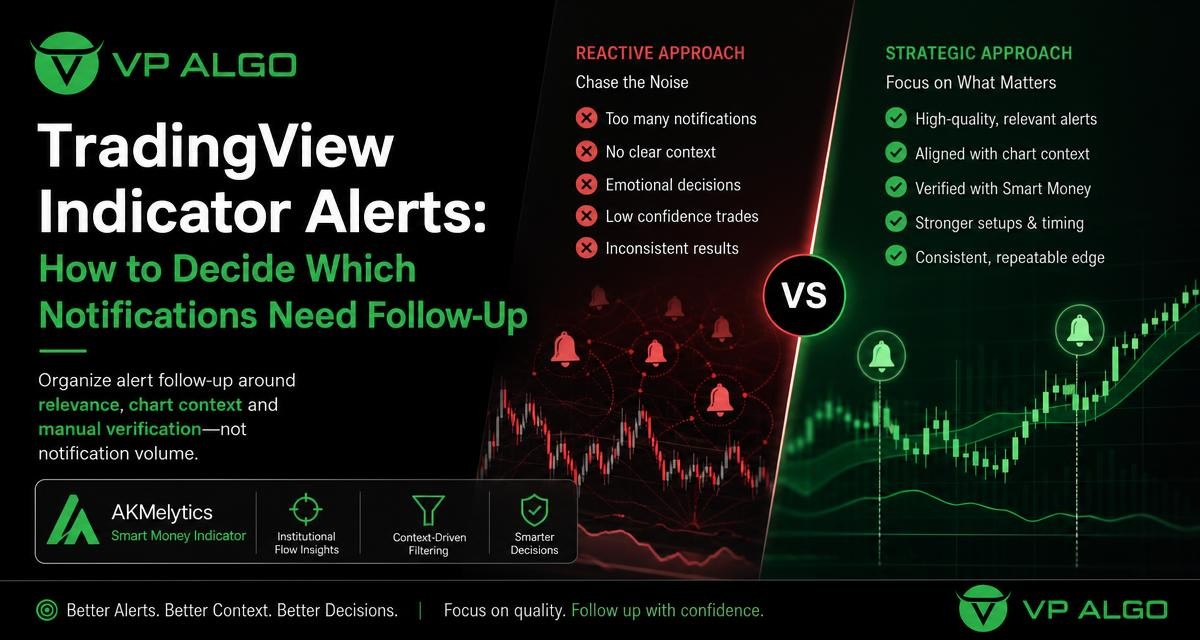
A TradingView trading indicator can produce useful alerts, but a full notification list is not the same as a decision-making process. Alerts are best treated as prompts for review rather than automatic instructions. By organizing notifications around relevance, chart context and manual verification, traders can spend more time evaluating potential setups and less time reacting to noise.
Why alert volume can become a problem
Trading indicators often monitor several types of market information at once. A chart may show trend direction, momentum changes, market structure events, relative strength, institutional activity and smart money conditions. When alerts are enabled for many events across several charts and timeframes, notifications can quickly outnumber the situations that deserve close attention.
The issue is not simply that there are too many alerts. Different alerts may describe different stages of market development. A momentum change may happen before a structure event, while a trend condition may remain visible after the original move has weakened. Treating every notification as equally important can lead to repeated reviews of the same market condition or impulsive decisions based on one isolated event.
Start with the question an alert is meant to answer
Before enabling a TradingView indicator alert, define its purpose. An alert should help answer a specific monitoring question, such as whether momentum is changing, whether market structure has shifted, or whether a broader trend condition is still present. If the purpose is unclear, the notification may be difficult to interpret when it arrives.
A useful alert system separates observation from evaluation. The notification identifies something worth checking; the chart review determines whether the event has meaningful context. This distinction is especially important for tools that combine several analytical components. An alert can draw attention to a chart without confirming that the conditions are suitable for any particular action.
Common alert purposes
- Trend monitoring: Identify when the directional context may be changing or when a multi-timeframe view deserves review.
- Momentum monitoring: Highlight a change in buying or selling pressure that may support further analysis.
- Market structure monitoring: Bring attention to events such as a break of structure or a change of character.
- Flow and smart money monitoring: Prompt a closer look at institutional activity or related market-flow conditions.
- Setup management: Remind you to revisit a chart when several previously defined conditions are present.
Use a relevance filter before opening the chart
When a notification arrives, the first review should be a relevance check. Not every alert deserves the same amount of attention. A practical filter considers the instrument, timeframe, event type and relationship to the broader market view.
For example, an alert on a timeframe that does not match your planned analysis may be lower priority. An event that conflicts with the broader trend may still be worth recording, but it should not automatically receive the same follow-up as an event that fits the context you are already monitoring.
| Review factor | Question to ask | Why it matters |
|---|---|---|
| Instrument | Is this a market or chart I currently follow? | Reduces time spent reviewing unrelated notifications. |
| Timeframe | Does the alert match the timeframe used for this type of analysis? | Helps separate broad context from short-term movement. |
| Event type | What exactly triggered the notification? | Prevents different signals from being treated as interchangeable. |
| Trend context | Does the event agree with or challenge the wider trend? | Shows whether the alert supports continuation or suggests a possible change. |
| Recent history | Is this a new development or a repeated notification? | Limits duplicate reviews of the same market condition. |
Check chart context before interpreting the alert
An alert becomes more useful when it is placed in the context of price structure and the surrounding chart. Start by locating the event that triggered the notification. Then review the candles before and after it, the recent swing points, and the current position within the visible market structure.
Context does not turn an alert into a guarantee. It simply helps you understand what the notification is describing. A structure event near an important swing may require a different review from a similar event occurring during a narrow, unclear range. Likewise, a momentum change may be more informative when it agrees with a broader trend than when it appears against that trend.
Questions for a manual chart review
- What was the market doing before the alert appeared?
- Is price developing a clear trend, a range or an uncertain transition?
- Does the alert relate to a meaningful swing or only a small short-term fluctuation?
- Do the higher and lower timeframes provide compatible information?
- Are trend, momentum, structure and flow conditions pointing in a similar direction?
- What information would invalidate the original interpretation?
Combine indicator components without double-counting them
A TradingView trading indicator may display several analytical views on the same chart. This can make review more organized, but it also creates a risk of counting closely related observations as independent confirmation. For instance, a trend reading and a momentum reading may both reflect the same underlying price movement.
Instead of asking how many labels or panels agree, ask what each component contributes. Trend analysis can describe direction, momentum can describe the strength or change in movement, market structure can describe the arrangement of swing points, and an institutional flow indicator can provide another perspective on market activity. The goal is to understand the relationship among these observations rather than simply adding them together.
A simple hierarchy for review
- Define the broader context. Begin with the relevant timeframe and the general structure of the market.
- Identify the alert event. Determine whether it concerns trend, momentum, structure, flow or another configured condition.
- Look for alignment. Check whether other components support the same interpretation without assuming that agreement guarantees an outcome.
- Look for conflict. Record evidence that weakens or contradicts the initial reading.
- Choose a follow-up status. Mark the alert for further study, place it on a watchlist, record it for later review or dismiss it.
Use priority levels instead of an all-or-nothing response
Alerts do not need to be classified only as “act” or “ignore.” A priority system gives each notification an appropriate next step. This is useful for traders who want a repeatable process while keeping final decisions separate from the indicator notification itself.
| Priority | Description | Possible follow-up |
|---|---|---|
| High review | The alert matches the monitored instrument, timeframe and broader context. | Open the chart promptly and complete the full manual checklist. |
| Watch | The event is relevant but some context is incomplete or mixed. | Record the chart and review it again if new information appears. |
| Research | The event is interesting but outside the current monitoring plan. | Save it for later study rather than interrupting the current review. |
| Dismiss | The alert is repeated, irrelevant or unsupported by the chart context. | Close it and consider adjusting the alert configuration. |
Review multi-timeframe information carefully
Multi-timeframe analysis can help separate broader context from shorter-term movement. A lower timeframe alert may show a local change while the higher timeframe remains in a different condition. Neither view automatically overrides the other; they answer different questions.
When an alert appears, note which timeframe generated it and compare that with the timeframes used in your process. A short-term event may be useful as an early item for observation, while a broader timeframe event may carry more weight in defining the current market structure. The important point is to avoid describing a lower-timeframe notification as a complete market view.
Configure fewer, more purposeful notifications
If your alert queue regularly becomes difficult to manage, the solution may be configuration rather than faster reaction. Begin with the events most closely connected to your analysis process. Add other conditions only when you know how they will change your review.
It can also help to group alerts by purpose. One group might monitor broad trend conditions, another might focus on structure events, and a third might track momentum or flow. This makes it easier to recognize why a notification appeared and prevents unrelated events from being treated as one combined message.
Signs that an alert setup needs refinement
- You receive repeated notifications that do not change your chart review.
- You cannot explain what a notification is intended to identify.
- You review alerts from timeframes that are not part of your process.
- You frequently make a decision before checking the surrounding chart context.
- You treat every alert as equally urgent.
- You keep alerts enabled even though you do not record or review their outcomes.
Keep a follow-up record
A brief journal can show whether alerts are helping your process. Record the date, instrument, timeframe, alert type, surrounding context and your follow-up status. You can also note whether the notification was new, repeated, aligned with the wider view or contradicted by other chart information.
The purpose of a record is not to create a performance claim or predict future results. It is to examine the quality of your process. After reviewing several entries, you may find that some notifications are consistently irrelevant, while others provide useful prompts for further chart study. That information can guide future alert configuration.
How the AKMelytics Smart Money Indicator can fit this workflow
The AKMelytics Smart Money Indicator is a TradingView technical analysis tool from VP ALGO TRADING. Its listed features include trend analysis, momentum, market structure, market flow, relative strength, smart money concepts, multi-timeframe analysis, BOS and CHoCH structure events, Fibonacci projections, volatility-based target and risk reference levels, dashboard context and configurable TradingView alerts.
Those features can support an alert-review workflow when each notification is treated as a starting point for analysis. A trader can use the dashboard and chart context to understand the event, compare relevant timeframes and manually verify whether the broader conditions are consistent. The indicator is intended to support analysis and decision-making, not to provide financial advice or guarantee results.
A practical alert follow-up checklist
- Confirm the instrument and timeframe.
- Identify the exact condition that triggered the alert.
- Review recent price structure around the event.
- Compare the alert with the broader trend and other relevant chart information.
- Check for conflicting momentum, structure or flow evidence.
- Classify the notification as high review, watch, research or dismiss.
- Record the reasoning if the chart is added to a watchlist or journal.
- Review the alert configuration later if the notification repeatedly adds no useful information.
TradingView alerts work best when they support a defined review process. A well-organized TradingView trading indicator setup does not need to generate constant notifications. It needs to highlight relevant events, provide enough context for manual verification and help the trader maintain consistent analysis. Any trading decision should account for uncertainty and risk, and indicator alerts should not be treated as guaranteed outcomes or financial advice.
Frequently Asked Questions
What is the best way to respond to a TradingView indicator alert?
Use it as a prompt to open and review the chart. Confirm the event, timeframe, market structure and broader context before deciding whether any further monitoring is appropriate.
Should every TradingView trading indicator alert receive the same priority?
No. Priority can depend on the instrument, timeframe, event type, relevance to your current process and whether the alert agrees with or conflicts with the wider chart context.
What does an institutional flow indicator contribute to alert review?
It can provide another perspective on market activity. It should be considered alongside trend, momentum and structure rather than treated as independent proof of a future price move.
How can I reduce unnecessary TradingView notifications?
Disable events that do not lead to useful follow-up, remove timeframes outside your process and group alerts by purpose. Repeatedly irrelevant notifications are a sign that the configuration needs refinement.
Can multiple indicator conditions confirm a trade?
Multiple conditions may provide a more structured way to review a chart, but agreement does not guarantee an outcome. Related conditions may also reflect the same price movement, so they should not be double-counted.
Does the AKMelytics Smart Money Indicator provide financial advice?
No. It is a technical analysis tool designed to support analysis and trading decision-making. It does not provide financial advice or guarantee profits or results.


Recent Comments