
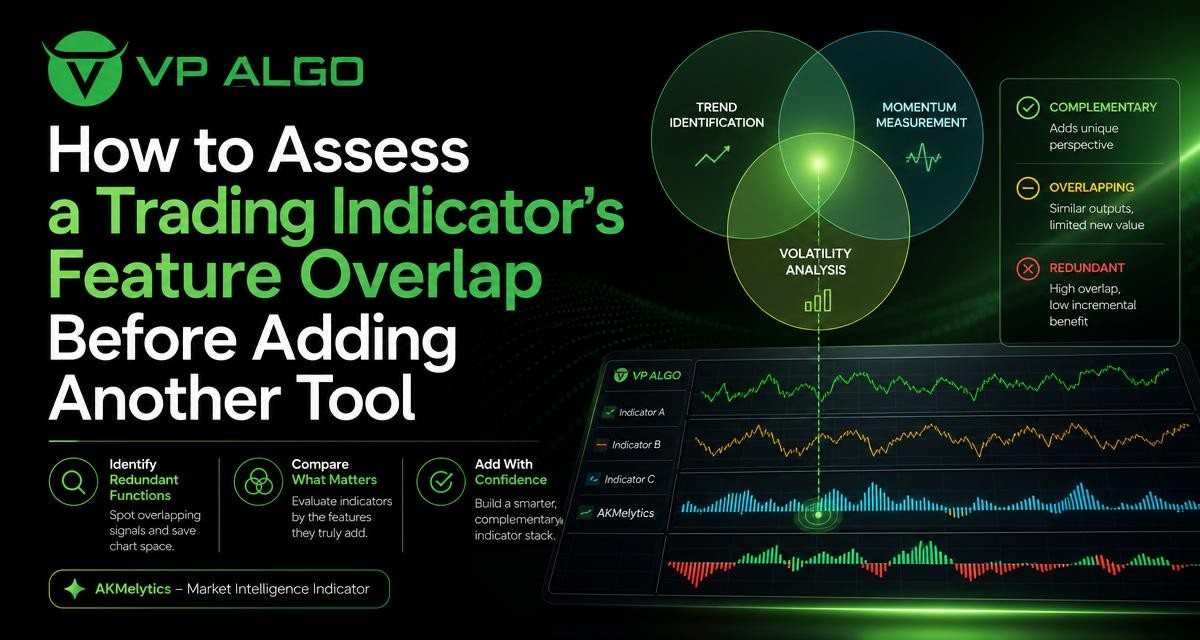
Choosing the best trading indicator is not simply a matter of finding the tool with the longest feature list. The more important question is whether a new indicator contributes a genuinely different perspective or repeats information already visible on your chart. Before adding another TradingView trading indicator, compare what each tool measures, how it produces signals, and whether its output improves your decision-making process.
Why feature overlap matters
Many indicators appear different because they use different names, colours, panels, or visual layouts. However, several tools may be responding to the same underlying market behaviour. For example, a moving-average trend tool, a trend-strength study, and a signal overlay may all become bullish after price has already moved upward. Seeing three bullish readings does not necessarily mean that three independent sources agree.
Feature overlap can make a chart feel more informative while actually reducing clarity. If several indicators react to similar price or volume inputs, they may produce related signals at nearly the same time. This can encourage traders to treat repeated information as stronger confirmation than it really is.
A structured review helps separate confirmation from duplication. Confirmation comes from different analytical functions that address different questions. Duplication occurs when multiple tools answer the same question in slightly different ways.
Start by defining the question each indicator answers
Before comparing tools, write down the decision each one is intended to support. A useful indicator should have a clear role. If you cannot explain that role in a short sentence, it may be difficult to assess whether the tool belongs on your chart.
| Analytical function | Typical question | What to compare |
|---|---|---|
| Trend analysis | What direction is price currently showing? | Trend definition, timeframe, and sensitivity to price changes |
| Momentum | How strong or persistent is the current movement? | Speed of movement, threshold rules, and timing of changes |
| Market structure | How is price forming highs, lows, breaks, or ranges? | Swing rules, structure labels, and treatment of false breaks |
| Institutional or smart money analysis | What conditions may suggest notable participation or order-flow behaviour? | Definitions, data inputs, and how the information is displayed |
| Multi-timeframe analysis | How does the broader chart context relate to the active timeframe? | Timeframes included and how conflicting readings are presented |
| Trade management | How will a trader plan, monitor, or review a position? | Alerts, levels, visual references, and workflow compatibility |
This table is not a ranking of functions. It is a way to map the purpose of each tool. Two indicators can both be useful, but only if their functions are sufficiently distinct or if one presents the same information in a materially more practical way.
Separate the indicator’s inputs from its display
Feature overlap is easier to identify when you distinguish between an indicator’s inputs and its presentation. Two tools may display different labels but rely on similar price data, such as open, high, low, close, or volume. Conversely, two indicators may use related data while processing it for different purposes.
Ask the following questions when reviewing a candidate tool:
- What market data does the indicator use?
- Does it measure direction, speed, structure, participation, or another property?
- Is the output a continuous reading, a threshold, a label, a zone, or an event?
- Does it react to current price movement or describe a broader historical condition?
- Does it provide information that can be acted on, or does it merely restate an existing observation?
The visual appearance of an indicator should not be the main basis for comparison. A new colour scheme or a different signal name does not automatically create a new analytical perspective. The useful question is what information becomes available that was not already available on the chart.
Common areas of overlap
Trend and direction
Trend tools often use smoothing, moving averages, price relationships, or directional calculations. If a chart already includes a trend indicator for TradingView, adding another tool that changes colour when price moves above or below a smoothed reference may add limited information.
This does not mean that every second trend tool is unnecessary. One may be designed for a shorter timeframe while another provides broader context. The distinction should be explicit. For example, one tool might help describe the active chart’s direction, while another is used only to review a higher-timeframe bias. Without that defined separation, the two may simply produce similar readings.
Momentum and signal timing
Momentum indicators can overlap when they respond to the same acceleration or deceleration in price. A momentum indicator for TradingView may show strengthening movement, while another signal tool may identify a similar change through a different calculation. When both react to the same price expansion, their agreement may be less independent than it appears.
Compare how early each tool responds, how it behaves during sideways conditions, and whether it provides information beyond a basic trend reading. A momentum tool can add value when it helps distinguish a directional move from a weak or slowing one. It is less useful when it only repeats that price is already moving in the direction shown by a trend tool.
Market structure and price levels
A market structure indicator may identify swing highs, swing lows, breaks, ranges, or changes in the sequence of price movement. Other tools may also draw support, resistance, supply, demand, or buy-and-sell areas. These features can overlap if they all derive their key levels from similar swing points.
Review the rules behind the labels and levels. Does the tool wait for confirmation before marking a structural event? Does it update previous levels? Does it operate on the same timeframe as the existing tool? The purpose is not to find the indicator with the most labels, but to understand whether its structure analysis changes how the chart is interpreted.
Smart money and institutional flow concepts
Smart money indicators and institutional flow indicators can use terminology that varies considerably between products. Terms such as liquidity, order blocks, accumulation, distribution, or institutional activity should be treated as analytical concepts whose definitions need to be understood rather than as automatic proof of a market event.
When comparing a smart money indicator with another tool, look for differences in the data, definitions, and time horizon. If both indicators mark the same areas from the same swing structure, they may overlap even if one uses more specialised language. A candidate tool adds more value when it supplies a clearly explained perspective that complements, rather than simply renames, existing chart information.

A practical feature-overlap audit
A feature audit can be completed before adding an indicator to a live chart. Create a list of the tools already in use and record their primary functions. Then place the candidate indicator in a separate row and compare the outputs.
- List the existing tools. Include overlays, separate panels, alerts, and manually tracked levels.
- Assign one primary function to each tool. Use categories such as trend, momentum, structure, participation, or trade management.
- Record secondary functions. Some tools combine several types of analysis, so note any additional labels or readings.
- Identify shared inputs. Look for similar price, volume, timeframe, or swing-based foundations.
- Compare timing. Observe whether the tools change state at the same time during rising, falling, and sideways conditions.
- Test the decision impact. Ask whether the new tool changes a defined part of the process, such as context assessment, setup filtering, or review.
- Remove visual clutter where possible. If two tools serve the same role, temporarily hide one and assess whether the decision process becomes less clear or less complete.
This process is not a performance test and should not be treated as proof that one indicator predicts future price movement. It is a chart-design and decision-structure exercise. Its purpose is to clarify what information is being used and why.
How to judge whether another tool adds value
A new indicator may be worth considering when it contributes one or more of the following:
- A distinct analytical function that is missing from the current chart.
- A clearer presentation of information that is currently difficult to interpret.
- A multi-timeframe view that supports a defined part of the analysis process.
- A way to organise market structure, momentum, or trend information without requiring several separate tools.
- A review or journaling aid that helps make chart analysis more consistent.
Value is not determined by the number of features. A tool with several functions may be useful if those functions work together and remain understandable. It may also create unnecessary complexity if the chart becomes difficult to read or if the trader cannot explain which feature supports which decision.
A useful test is simple: if removing the candidate indicator would not change your analysis, explanation, or workflow, its role may not yet be clear enough.
Do not confuse more confirmation with better analysis
Confirmation can be helpful, but repeated signals can create false confidence. Three indicators turning bullish may represent three separate calculations of the same price movement rather than three independent reasons for a decision. This is especially relevant when tools are all trend-following and react after a move has already developed.
Instead of counting signals, classify them. A trend reading may describe direction, momentum may describe movement strength, and market structure may describe the sequence of highs and lows. Those functions can complement one another. If all three outputs simply state that price is rising, the apparent agreement deserves closer examination.
It is also useful to define what would make the readings disagree. A genuinely different perspective should sometimes produce a different result. For example, a broader trend tool may remain positive while a shorter-term momentum reading weakens. That disagreement can provide context for analysis, even though it does not determine what the market will do next.
Keep the chart aligned with your trading process
The best trading indicator for one trader may not be the best fit for another because chart requirements differ. A trader focused on market structure may need different visual information from someone reviewing momentum across several timeframes. Beginners may benefit from a smaller number of clearly understood tools, while more experienced users may have a documented reason for combining several analytical functions.
Before adding a TradingView trading indicator, write down where it belongs in the process. Is it used before a setup is considered? Does it help describe context? Is it reviewed only after a potential setup appears? Does it provide a level, condition, or alert that can be checked consistently? These questions turn an indicator from a decorative chart element into a defined part of analysis.
VP ALGO TRADING develops and sells indicators and algorithmic trading tools for TradingView, including the AKMelytics – Market Intelligence Indicator. Anyone reviewing this or another tool should examine its stated features and decide how they fit with the functions already present on the chart. The company positions its indicators for educational and trading-decision assistance, not as financial advice or a guarantee of results.
A simple decision framework
After completing the overlap audit, place the candidate in one of three categories:
- Distinct addition: The tool performs a function that is not currently represented or provides a clearly different perspective.
- Useful consolidation: The tool overlaps with several existing tools but presents the information in a clearer or more organised way, allowing unnecessary chart elements to be removed.
- Redundant addition: The tool repeats existing outputs without changing the analysis, workflow, or interpretation.
This framework avoids the assumption that every new indicator must be accepted or rejected immediately. A tool can overlap with existing features and still be useful as a replacement or consolidation option. The key is to judge the complete chart rather than the candidate in isolation.
Frequently asked questions
What is feature overlap in a trading indicator?
Feature overlap occurs when two or more indicators provide similar information, use closely related inputs, or react to the same market behaviour. Different names or visual designs do not necessarily mean the tools are analytically independent.
How can I tell whether two TradingView indicators are redundant?
Compare their primary functions, inputs, timeframes, labels, and timing. Temporarily hide one tool and assess whether your interpretation or defined workflow changes. If it does not, the two may be serving the same role.
Is it better to use fewer trading indicators?
Not automatically. The useful number depends on whether each tool has a clear purpose. A smaller group of well-understood indicators may be easier to interpret, while several distinct functions can be appropriate when they are organised within a consistent process.
Can a momentum indicator and a trend indicator be used together?
They can complement one another when they answer different questions. A trend indicator may describe direction, while a momentum indicator may describe the strength or persistence of movement. Review their definitions and timing to confirm that they are not simply duplicating one another.
Does a smart money indicator provide independent confirmation?
That depends on how the indicator defines and calculates its features. Review its inputs, terminology, timeframes, and structure rules. If its signals are derived from the same swing points or price movement as another tool, the confirmation may not be fully independent.
Should I remove an indicator if it overlaps with another one?
Not necessarily. An overlapping tool may still be useful if it improves clarity, consolidates several features, or supports a specific part of your workflow. Remove or replace it when its output does not add a clear analytical or practical benefit.


Recent Comments