
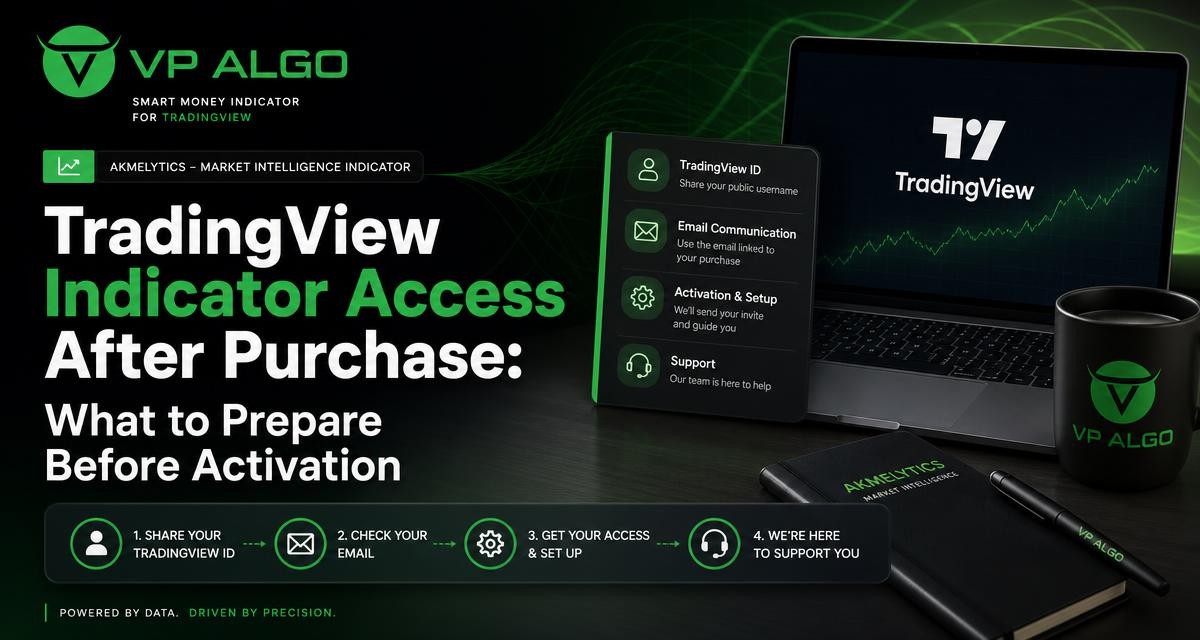
Buying a TradingView trading indicator is only the first part of getting started. For the AKMelytics – Market Intelligence Indicator from VP ALGO TRADING, the post-purchase access process involves preparing your TradingView ID, communicating through email and contacting support if you need help with installation, activation or initial use. Having the right information ready can make the process clearer and reduce avoidable delays.
What happens after purchasing the indicator?
After purchase, customers are instructed to provide their TradingView ID by email so the product access process can be arranged. TradingView is the platform where the indicator is used, while VP ALGO TRADING manages the product access and related support. This means your purchase information and platform identity need to be connected correctly.
The next step is not to guess which TradingView account should receive access. Instead, confirm the exact ID you use to sign in to TradingView and send it through the requested email channel. If you are unsure how to find it, support can help you identify the relevant account details.
| Item to prepare | Why it matters | What to check |
|---|---|---|
| TradingView ID | Identifies the account intended to use the indicator | Check spelling, capitalisation and the correct account |
| Purchase email | Helps connect your message with the order or customer record | Use the email associated with your purchase where possible |
| Order or purchase details | Gives support useful context when reviewing your request | Keep confirmation information available |
| Support question | Allows the team to address a specific installation or usage issue | Describe what you have already tried |
| TradingView account access | Lets you check whether the indicator is available after activation | Be ready to sign in to the intended account |
Find and verify your TradingView ID
Your TradingView ID is one of the most important details in the activation request. It identifies the TradingView account that should receive access to the TradingView trading indicator. A small spelling error can create confusion because support may be looking for a different account from the one you actually use.
Use the account you plan to trade and analyse with
Before sending your details, decide which TradingView account you will use for chart analysis. If you have more than one account, do not assume that access connected to one account will automatically appear in another. The safest approach is to check the account currently open in TradingView and copy or carefully record its exact ID.
Check the details before emailing
- Confirm that you are signed in to the intended TradingView account.
- Check the ID character by character before sending it.
- Make sure you have not provided a display name from a different account.
- Keep your purchase email and TradingView ID in the same message where practical.
- Avoid sending passwords or other sensitive login information.
The purpose of the email is to identify your TradingView account, not to share private account credentials. If you are uncertain whether a particular name is the correct ID, ask support before sending additional information.
Prepare the email communication
A clear email gives VP ALGO TRADING the information needed to review your access request. It also creates a useful record if you later need help with installation or activation. Keep the message brief but complete rather than sending several separate messages with partial details.
Information to include
- Your name, if it was used during the purchase.
- The email address associated with the purchase.
- Your exact TradingView ID.
- The name of the product purchased: AKMelytics – Market Intelligence Indicator.
- Your order or purchase reference, if one was provided.
- A short description of the help you need, such as access, installation or activation assistance.
You do not need to write a long explanation. A direct subject line such as “AKMelytics TradingView access request” can help make the purpose of the message clear. In the body, state that you have completed the purchase, provide the TradingView ID and explain whether you are requesting access or reporting a problem.
A practical email structure
For example, you can organise your message in this order: purchase information, TradingView ID, product name and support request. This structure helps separate account identification from the issue you want resolved. It is also useful if you are contacting support because the indicator does not appear where you expect it to appear after the access process.
Keep the message factual. Do not include your TradingView password, payment card details or other credentials that are not required for product access.
What to check before asking for installation help
Support is available for installation, activation and usage assistance, but you can make the conversation more efficient by checking a few basics first. These checks do not replace support. They simply help establish whether the issue is related to the account, access status or the way the indicator is being opened.
Confirm that you are using the correct account
Sign in to the TradingView account whose ID you sent by email. If you switch between accounts, verify the active profile before looking for the indicator. The account shown in your browser or application should match the ID supplied to VP ALGO TRADING.
Review the product name
Search or review your TradingView workspace using the product name supplied with your purchase. The AKMelytics – Market Intelligence Indicator is intended for use within TradingView. If you are looking for a different product name, an unrelated public script or a general platform feature, you may not be checking the correct place.
Describe the exact point where you are stuck
“It does not work” gives support very little to investigate. Instead, explain whether you cannot locate the indicator, cannot add it to a chart, cannot see the expected access, or need help understanding the available settings. If a message is displayed, include its wording without sharing private information.
| Issue you notice | Useful information to send support |
|---|---|
| Indicator is not visible | TradingView ID, product name and the account you checked |
| You are unsure whether access is active | Purchase email, order details and what appears in your account |
| You need installation guidance | Your device or browser context, plus the step where you need help |
| You want help using the indicator | The chart or feature you are reviewing and your specific question |

Understand the indicator’s intended role
The AKMelytics – Market Intelligence Indicator brings together areas such as trend analysis, momentum evaluation, market structure, institutional activity, multi-timeframe trend assessment and smart money analysis. These features are designed to help traders organise their review of market conditions and potential setups within TradingView.
That role is different from receiving personal financial advice or having a trade selected for you. A smart money indicator for TradingView can provide analytical information, but you still need to understand what the displayed information means and decide how it fits your own process. Activation gives you access to the tool; it does not remove the need for learning, chart review or risk awareness.
Allow time to learn the display
If you are new to a market structure indicator or a momentum indicator for TradingView, the chart may contain concepts that are unfamiliar at first. Start by identifying what each visual element represents and how the settings affect what you see. Avoid treating a single label, colour or signal as a complete trading decision.
Use a structured review process
A practical workflow may begin with the broader trend, continue with market structure and momentum, and then consider institutional or smart money information as part of the wider analysis. The exact way you organise your review is your decision. The key point is to understand the indicator as an analytical tool rather than assume that every display element has the same meaning in every market condition.
Common access and activation questions
What if I sent the wrong TradingView ID?
Contact support as soon as you notice the mistake. Provide the purchase email, explain that the original ID was incorrect and state the correct TradingView ID clearly. Do not create unnecessary duplicate requests without explaining which account should be used.
What if I use more than one TradingView account?
Tell support that you have multiple accounts and identify the one intended for the indicator. Access instructions are linked to the account details you provide, so clarity is better than assuming that all accounts will be treated identically.
What if I cannot find the indicator after sending my details?
First, check that you are signed in to the same account represented by the TradingView ID in your email. Then review the product name and the location where TradingView indicators are normally added to a chart. If the issue remains, contact support with your ID, purchase information and a description of what you see.
What if I need help understanding the indicator?
Send a specific usage question rather than a general request. For example, ask about a particular feature, display element or step in your chart workflow. Support can then address the installation, activation or usage point that is causing difficulty.
A simple post-purchase checklist
Use this checklist before sending your access email or contacting support:
- Confirm that your purchase is for the AKMelytics – Market Intelligence Indicator.
- Sign in to the TradingView account you intend to use.
- Record the exact TradingView ID for that account.
- Prepare the email address used during purchase.
- Locate your order or purchase reference if available.
- Send the TradingView ID and product details through the requested email channel.
- After access is arranged, check the correct TradingView account and review the indicator location.
- If you need help, describe the precise installation, activation or usage issue.
Keeping these steps together makes the process easier to follow and gives support the context needed to assist you. It also helps you avoid common mistakes such as using the wrong account, omitting the TradingView ID or asking a broad question without describing the problem.
Use the indicator as part of your own analysis
Once access is available, take time to understand the information shown on your charts. The indicator can support analysis of trends, momentum, market structure, institutional activity and smart money conditions, but those elements should be interpreted in context. Market conditions can change, and no indicator can remove the uncertainty involved in trading.
VP ALGO TRADING positions its indicators for educational and trading-decision assistance purposes rather than as financial advice. Use the product to structure your research and review process, and make sure you understand the risks before making trading decisions. If you need clarification about access or product usage, contact support with the relevant account and purchase details.
Frequently asked questions
What do I need to provide after buying the TradingView trading indicator?
You should provide your exact TradingView ID by email, along with the purchase email and useful order details where available. Include the product name and explain whether you need access, installation or activation help.
Why is the TradingView ID important?
The TradingView ID identifies the account intended to use the indicator. Providing the correct ID helps connect the access request with the account you plan to use.
Can support help with installation and activation?
Yes. Customers can contact VP ALGO TRADING support for installation, activation or usage assistance. Include a clear description of the issue so the team can understand which step needs attention.
Should I send my TradingView password by email?
No. The access request requires your TradingView ID and relevant purchase information, not your password or payment credentials.
What should I do if the indicator is not visible after purchase?
Check that you are signed in to the same TradingView account represented by the ID you sent. Review the product name and then contact support with your purchase details and a description of what you see.
Is the indicator financial advice?
No. The indicator is provided for educational and trading-decision assistance purposes. It is an analytical tool, not personal financial advice, and it does not guarantee trading results.
Can beginners use the indicator?
Beginners can ask support for usage assistance, but they should first learn the meaning of the indicator’s features and understand trading risks. The tool should support a structured review process rather than replace independent learning and judgement.


Recent Comments