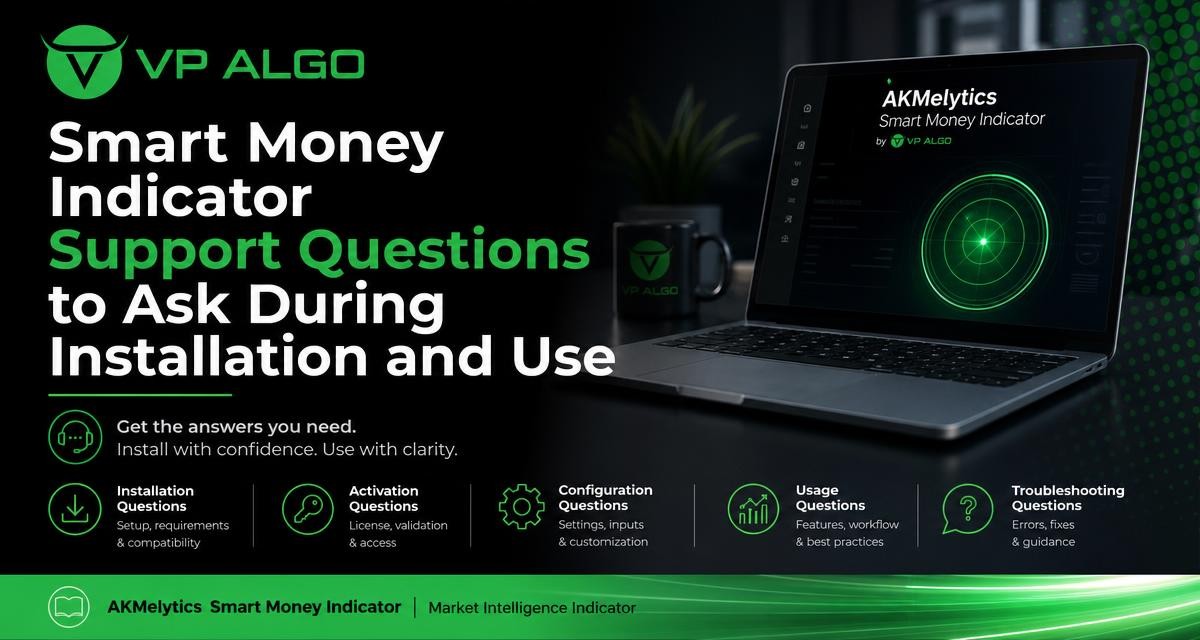
Installing a smart money indicator is only the first step. Before evaluating how the AKMelytics Smart Money Indicator fits into your TradingView workflow, it helps to know what to ask about access, activation, chart display, settings, and interpretation. A clear support conversation can help you understand the intended workflow without confusing an indicator with financial advice or a guarantee of trading results.
Why support questions matter before using an indicator
A TradingView indicator can become difficult to evaluate when the setup process, account access, or chart display is unclear. A user may see missing signals, unexpected labels, or unfamiliar market-structure markings and assume that the tool is not working, when the real issue may be incomplete activation or a misunderstanding of the display.
Support is especially useful during the transition from purchase to practical use. VP ALGO TRADING instructs customers to provide their TradingView ID by email after purchase so product access can be arranged. Customers can also contact support for installation, activation, or usage assistance. Preparing specific questions makes that exchange more efficient and gives you a better basis for evaluating the workflow.
Questions to ask before installation
What information is needed to provide access?
Start by asking which account details support needs and where those details should be sent. For the AKMelytics Smart Money Indicator, the supplied customer instructions refer to providing your TradingView ID by email after purchase. Confirm that you are sending the correct identifier and that it matches the TradingView account you intend to use.
This question matters because a TradingView indicator may be linked to a specific user account. If you use more than one TradingView account, ask support to clarify which account should be connected before attempting to add the indicator to a chart.
Where should the indicator appear in TradingView?
Ask support how the indicator is expected to appear once access has been provided. A useful answer should help you distinguish between an access issue and a navigation issue within TradingView. You can ask whether the indicator should be found through your invited or private scripts, your purchased products, or another area of the platform.
Do not assume that searching for a product name will always produce the expected result. If the indicator is not visible, record the account you are using and the exact point at which the process stops. This gives support practical information rather than a general report that the tool is missing.
Are there installation steps that must be completed in a particular order?
Ask whether access must be activated before adding the indicator to a chart, or whether you should first open a particular TradingView workspace. Also ask whether a page refresh, sign-out, or sign-in is expected as part of the process. These are simple questions, but they can prevent repeated attempts that do not address the underlying access stage.
Which TradingView account and chart should be used for the first check?
If you use several layouts, symbols, or devices, ask support which account and chart they recommend for the initial verification. A controlled first check makes it easier to confirm whether the indicator is available and whether it is displaying correctly before you experiment with different settings.
Questions about activation and access
How can I confirm that activation is complete?
Ask what visible sign confirms that activation has been completed. This might involve the indicator appearing in the appropriate TradingView area or becoming available for insertion on a chart. The purpose of the question is not to request a trading signal; it is to establish that the product access stage is finished.
Keep a short record of when you submitted your TradingView ID, which email address you used, and what you see in your account. If you need to contact support again, these details can help identify whether the issue concerns account matching, activation, or the chart itself.
What should I do if the indicator is still unavailable?
Ask support what information they need to check an access problem. Include your TradingView ID, the email address associated with your request, and a description of the screen or menu where the indicator is absent. If appropriate, a screenshot can make the problem easier to identify, provided it does not expose sensitive account information.
Avoid changing several account details or settings at once while waiting for assistance. When multiple changes are made together, it becomes harder to tell which action resolved the issue.
Can support explain the difference between access and display problems?
This is a valuable question when the indicator appears to be active but nothing is visible on a chart. The problem could relate to the selected symbol, timeframe, chart layout, or display settings rather than activation itself. Ask support how to test each possibility in a logical order.
Questions about the indicator’s chart display
What does each major visual element represent?
The AKMelytics Smart Money Indicator is associated with trend analysis, momentum evaluation, market structure, institutional activity, multi-timeframe trend assessment, and smart money analysis. Ask support to explain which chart elements relate to each of these areas and how they are intended to be read together.
For example, ask whether a label represents a market-structure event, a momentum condition, a trend assessment, or an indication of institutional activity. Understanding the role of each element helps prevent a user from treating every visual mark as a direct buy or sell instruction.
Which settings affect the amount of information shown?
Some traders prefer a cleaner chart, while others want to inspect more of the available analysis. Ask which settings control the visibility of labels, trend information, market-structure features, or other chart elements. Also ask whether changing a setting changes only the display or changes the underlying calculation and interpretation.
Make one adjustment at a time and note what changes. This creates a more reliable learning process than switching several options and trying to remember the original view.
Why might the chart look different across timeframes?
Trend, momentum, and market-structure observations can look different when the timeframe changes. Ask support how the indicator’s multi-timeframe trend assessment is intended to be used and which timeframe relationships are relevant to the workflow. You can also ask whether a signal or chart marking is calculated from the current timeframe, a higher timeframe, or more than one timeframe.
This does not mean that one timeframe is automatically correct. It means that you should understand what the display is measuring before comparing observations from different charts.
What should I check if the display looks incomplete?
Ask whether the visible chart history, symbol, timeframe, or layout could affect what is shown. It is also useful to confirm whether a missing element is expected under the current market conditions or indicates a configuration issue. Support can help separate normal variation in the display from a technical problem.

Questions about using the smart money indicator
What is the intended workflow for reviewing market conditions?
Ask support to describe the recommended sequence for reviewing the indicator’s information. For example, you might want to know whether users are expected to begin with broad trend assessment, then examine momentum and market structure, and finally review smart money or institutional activity features. The exact workflow should come from the product guidance rather than from assumptions.
A structured sequence can make the chart easier to read. It also encourages you to evaluate several areas of market information instead of focusing on one label in isolation.
How should trend, momentum, and market structure be considered together?
Ask whether these components are intended to provide separate perspectives or to be reviewed as a combined context. Trend analysis may describe directional conditions, momentum may add information about movement, and market structure may help frame changes in price behaviour. The support team can clarify how these features are presented within the indicator.
Use the answer to build a repeatable review process. A repeatable process is different from a promise of a particular outcome: the indicator is a tool for evaluating conditions and potential setups, not a guarantee that a trade will succeed.
What does an institutional activity or smart money feature show?
If the indicator includes institutional activity monitoring or smart money analysis, ask what the feature is designed to communicate and what it does not establish. In particular, ask whether the display is a contextual analysis tool rather than confirmation of a specific institution’s action.
This distinction is important. A visual indication related to institutional flow should not automatically be treated as proof of future price direction, a guaranteed entry, or a substitute for independent research and risk management.
Can the indicator be used as a standalone decision tool?
Ask support how the product is intended to fit into your broader analysis. VP ALGO TRADING positions its indicators for educational and trading-decision assistance purposes rather than as financial advice. That means users should understand the indicator’s features while making their own decisions and considering the risks involved.
A helpful support conversation can explain functionality and workflow. It should not be treated as personalized financial guidance, a promise of profitable results, or a replacement for your own assessment of a trade.
A practical support checklist
Before contacting support, gather the details that describe the issue clearly. The following checklist can help you prepare:
- The TradingView ID connected with your purchase or access request.
- The email address used when contacting VP ALGO TRADING.
- The stage where the problem occurs: installation, activation, chart display, or usage.
- The chart symbol and timeframe involved, if the question concerns what is displayed.
- The exact message, missing feature, or unexpected behaviour you observed.
- A screenshot when it helps explain the issue, with private account details removed where appropriate.
- The steps you already tried, so support does not need to repeat them.
| Support topic | Useful question | Information to provide |
|---|---|---|
| Access | Has access been connected to the correct TradingView account? | TradingView ID and contact email |
| Installation | Where should the indicator appear and how should it be added? | The TradingView menu or screen where you looked |
| Activation | What confirms that activation is complete? | When the ID was submitted and what you currently see |
| Chart display | Why are labels or features not visible on this chart? | Symbol, timeframe, settings, and screenshot if useful |
| Usage | How should trend, momentum, structure, and smart money information be reviewed? | The feature or workflow you want explained |
How to evaluate the workflow after installation
Once the indicator is available, give yourself time to understand the chart before judging whether it suits your process. Start by identifying the main display elements and reviewing the product guidance supplied by support. Then observe how the information changes across charts and timeframes that are relevant to your own analysis.
Keep your evaluation focused on usability and understanding. Ask whether the layout is readable, whether the features help you organize trend, momentum, market structure, institutional activity, and smart money observations, and whether you can describe the workflow consistently. These are more useful first questions than asking whether any indicator can predict every market movement.
Separate technical questions from trading questions
Technical questions concern access, activation, settings, and how the display works. Trading questions concern whether a setup is suitable for your objectives, risk tolerance, and circumstances. Support may clarify how the product functions, but that does not turn the indicator into a financial adviser or provide personalized financial advice.
Keeping these categories separate helps set realistic expectations. It also makes support requests more precise and encourages responsible use of a TradingView indicator.
What to do if you are still learning TradingView
Beginners can ask support for explanations in plain language and request clarification of unfamiliar terms. Useful questions include which part of the display to review first, how to identify the indicator’s main features, and how to avoid confusing a visual marker with a guaranteed trade instruction.
More experienced traders may ask narrower questions about multi-timeframe assessment, market-structure features, momentum context, or institutional activity monitoring. In both cases, the goal is the same: understand what the tool shows, how it is configured, and how it fits into a personal analysis process.
Final questions to ask before relying on your workflow
Before incorporating the AKMelytics Smart Money Indicator into regular chart review, confirm that you can answer these basic questions:
- Is the indicator activated for the correct TradingView account?
- Do I know where to access it and how to add it to a chart?
- Can I explain the main visual elements and their purpose?
- Do I understand how timeframe changes affect what I see?
- Can I distinguish technical information from a direct trading instruction?
- Do I have a repeatable process for reviewing the indicator with my broader analysis?
If any answer is unclear, contact support with a specific question before making assumptions. VP ALGO TRADING can assist with installation, activation, and usage questions, while the trader remains responsible for evaluating information, managing risk, and making independent decisions.
Frequently asked questions
What information should I provide when requesting access to the smart money indicator?
VP ALGO TRADING’s supplied instructions ask customers to provide their TradingView ID by email after purchase. Use the account you intend to use with the indicator and include enough context for support to identify your request.
What should I ask if the indicator does not appear in TradingView?
Ask support to check whether access has been connected to the correct TradingView ID and where the indicator should appear. Provide the email used for the request and describe the menu or screen where you looked.
Can support help with activation and installation?
Yes. Customers can contact support for installation and activation assistance. Explain the stage where you are stuck and list the steps you have already completed.
What features should I ask about during onboarding?
Ask how to understand the indicator’s trend analysis, momentum information, market structure, institutional activity monitoring, multi-timeframe trend assessment, and smart money analysis features.
Does a smart money indicator provide financial advice?
No. VP ALGO TRADING positions its indicators as educational and trading-decision assistance tools rather than financial advice. The indicator does not guarantee profits or eliminate trading losses.
Why might the display change when I switch timeframes?
Trend, momentum, and market-structure information can vary with the timeframe. Ask support how the multi-timeframe features are intended to be interpreted and which timeframe relationships are relevant to your workflow.
What should I do before using the indicator as part of regular analysis?
Confirm that access is active, learn the main chart elements, understand the settings, and establish a repeatable review process. Evaluate the tool as one part of your analysis rather than as a guarantee of a particular trading outcome.


Recent Comments