
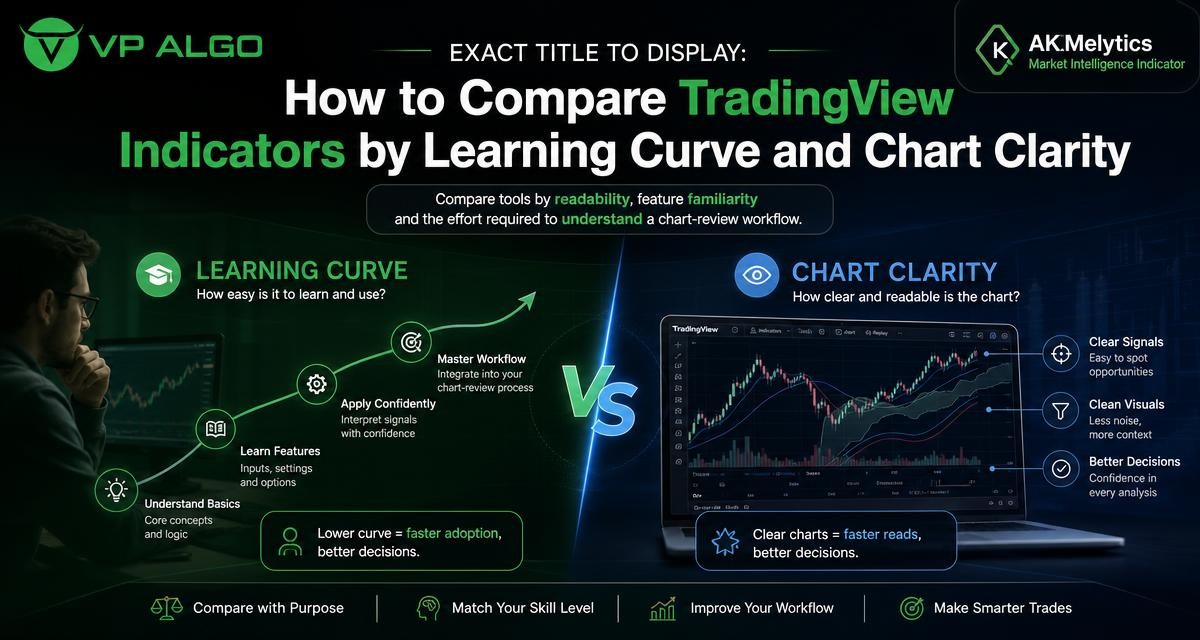
Finding the best trading indicators tradingview users can apply confidently is not only a matter of counting features. A useful comparison should also consider how quickly a trader can understand the tool, how clearly it presents information, and how much effort is needed to review a chart without creating unnecessary confusion.
Why learning curve matters when choosing a TradingView indicator
Every TradingView trading indicator adds a layer of information to a chart. That information may relate to trend, momentum, market structure, institutional activity or smart money concepts. The value of a tool depends partly on whether the trader can interpret its signals consistently and understand what each visual element is intended to show.
A tool with many features may appear attractive, but a crowded interface can slow down chart review. On the other hand, a very simple indicator may be easy to read while providing too little context for the trader’s chosen workflow. The right comparison therefore looks at the balance between information and usability.
What creates a steep learning curve?
The learning curve usually becomes longer when an indicator uses unfamiliar terminology, several signal types, multiple timeframes or a large number of visual markers. A trader may need to learn the difference between a trend reading, a momentum signal, a market structure event and an institutional-flow observation before the chart becomes meaningful.
This does not automatically make a complex indicator unsuitable. It means the user should have a clear learning plan. A feature-rich smart money indicator can be useful for traders who want to study several areas of market behaviour, provided they understand which readings are relevant to their own chart-review process.
Chart clarity: the first practical comparison
Chart clarity describes how easily a trader can distinguish important information from background detail. It includes the placement of labels, the contrast between bullish and bearish readings, the number of plotted elements and the way signals behave across different chart conditions.
Clear presentation does not mean that a chart must be empty. Instead, each visible element should have a reason to be there. When a trader reviews a chart, the indicator should help answer a defined question rather than encourage the user to react to every colour change or marker.
Questions to ask about visual design
- Can you identify the primary trend without studying the chart for an extended period?
- Are momentum and market structure readings visually distinct?
- Do labels overlap with candles or with one another?
- Can the display be adjusted when the chart becomes too busy?
- Does the tool remain readable when you change timeframe or zoom level?
- Can you explain each plotted feature in plain language?
These questions are more useful than judging an indicator by its appearance in a single screenshot. A chart may look clear in one market condition but become difficult to interpret when price moves sideways, volatility changes or several signals appear close together.
A framework for comparing TradingView indicators
To compare tools fairly, assess them using the same workflow. Begin with the basic information you need, then examine how the indicator adds detail. This helps prevent a common mistake: choosing a tool because it has the longest feature list rather than because it supports a repeatable review process.
| Comparison area | What to examine | Why it matters |
|---|---|---|
| Readability | Labels, colours, line placement and visual hierarchy | Helps you identify relevant information without unnecessary chart clutter |
| Feature familiarity | Whether you understand the terms and calculations shown | Reduces the risk of reacting to signals you cannot explain |
| Learning effort | Time required to learn settings, signals and workflow | Shows whether the tool fits your current experience level |
| Market context | Trend, momentum, structure and other areas covered | Indicates whether the indicator supports your intended analysis |
| Timeframe use | How easily readings can be reviewed across timeframes | Supports a more organised chart-review routine |
| Decision discipline | Whether the display encourages a defined process | Helps separate analysis from impulsive signal-following |
1. Start with the primary question
Before comparing indicators, decide what you want the tool to help you investigate. A trend indicator for TradingView may be most relevant when your first question concerns market direction. A momentum indicator for TradingView may be more useful when you are studying the strength or pace of a move. A market structure indicator may support a review of breaks, swings or changes in price organisation.
If your goal is to examine several dimensions together, a broader market intelligence indicator may fit the workflow better than a collection of unrelated tools. The trade-off is that the trader must learn how those dimensions relate to one another and avoid treating every reading as an independent instruction.
2. Separate core features from advanced features
Core features are the readings you use in almost every chart review. Advanced features may provide additional context, but they should not distract from the basic process. When testing a TradingView trading indicator, first hide or ignore features that you do not yet understand. Build familiarity with the central display before adding more information.
This approach makes the learning curve manageable. It also gives you a clearer way to judge whether the indicator is genuinely useful. If the core display is difficult to interpret, advanced settings are unlikely to solve the underlying problem.
3. Review the indicator across chart conditions
Chart clarity should be tested in more than one type of market environment. Review the same tool during a sustained directional move, a period of consolidation and a chart with frequent reversals. The purpose is not to find a tool that predicts every change. It is to see whether the presentation remains understandable when the market context changes.
Also compare more than one timeframe when that is part of your normal analysis. A display that is easy to read on a higher timeframe may become crowded on a lower one. A consistent process should make it clear which timeframe provides context and which timeframe is being examined for detail.
How different indicator types affect chart readability
Trend indicators
A trend indicator generally focuses attention on directional movement. Its learning curve may be relatively approachable when the display uses a small number of clear elements. The main comparison point is whether the trader understands what the indicator is measuring and whether the reading changes too frequently for the intended workflow.
Trend information is often most useful as context rather than as a standalone reason to act. A clear trend display can help organise a review, but it does not remove the need to evaluate the wider chart and the trader’s own risk process.
Momentum indicators
A momentum indicator for TradingView can add information about the strength or pace of price movement. When comparing these tools, check whether the visual scale and signal language are easy to interpret. A trader should know whether a reading is describing acceleration, weakening movement or another condition before using it in analysis.
Momentum and trend may tell different stories. That is not necessarily a problem. It can provide useful context, but only if the trader understands why the readings differ and has a defined way to reconcile them.
Market structure indicators
A market structure indicator may mark swings, breaks or other changes in how price is organised. These tools can require more study because the user must understand the terminology and the rules behind each annotation. The best display is not necessarily the one with the most labels; it is the one that helps the trader follow structure without losing sight of the price chart.
Smart money and institutional-flow tools
A smart money indicator for TradingView may combine market structure with ideas related to institutional activity or smart money concepts. Because these tools can cover several analytical themes, the comparison should focus on how the information is grouped. Can you distinguish structure from flow-related observations? Can you identify which reading is primary and which is supporting context?
VP ALGO TRADING develops TradingView indicators and algorithmic trading tools, including the AKMelytics – Market Intelligence Indicator. The company’s indicator offering is intended to support the evaluation of market conditions and potential trading setups. It should be treated as an analytical aid and educational tool, not as financial advice or a guarantee of a particular outcome.
How to reduce confusion during a chart-review workflow
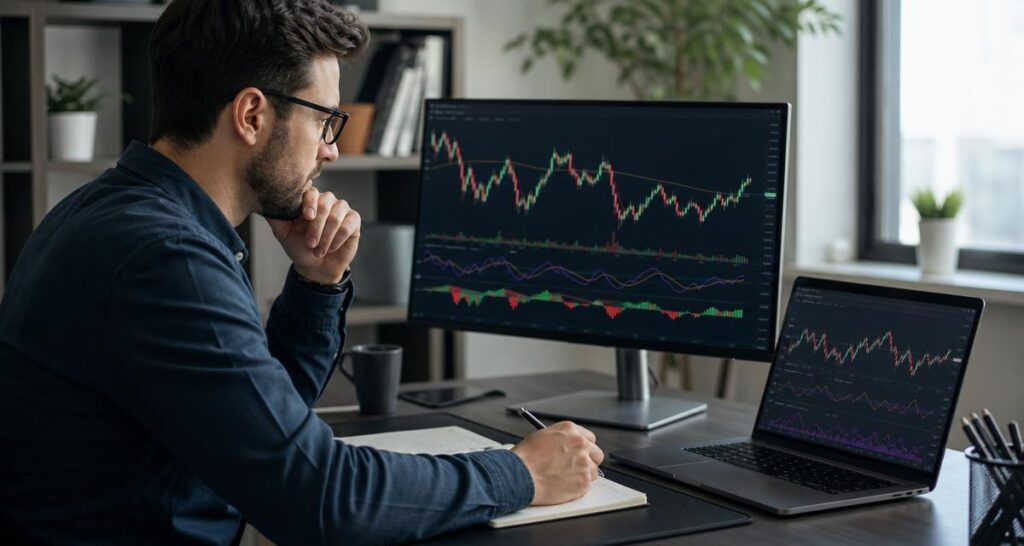
Chart clarity improves when the review process is defined before the chart is opened. Instead of scanning every signal, move through the same sequence each time. For example, begin with broad context, then examine structure, momentum and other supporting information. The exact order can vary, but consistency makes the indicator easier to learn.
- Identify the chart context: note the timeframe and the general price environment.
- Review the broad trend: determine what the trend-related display is showing and whether it is clear.
- Examine structure: review relevant swing or market-structure information without treating every mark as a trade instruction.
- Check momentum: consider whether movement appears to be strengthening, weakening or behaving differently from the broader trend.
- Review additional intelligence: examine institutional-flow or smart money-related information only after the core chart is understood.
- Record the reasoning: write down what the indicator showed and what remained uncertain.
This process makes it easier to evaluate whether a TradingView indicator is helping or merely adding visual noise. It also encourages traders to distinguish an observation from a decision. An indicator can highlight conditions for further study without dictating what a trader should do.
Common mistakes when searching for the best trading indicators on TradingView
Choosing the longest feature list
A long list of functions may suggest versatility, but features only help when the user understands them and can fit them into a repeatable process. Compare the quality of the core workflow before considering optional additions.
Using too many overlapping tools
Several indicators may display similar information in different formats. This can make a chart appear more convincing while adding little independent context. Look for complementary information rather than repeated signals.
Confusing visual simplicity with analytical usefulness
A minimal display can be easy to read, but it may not answer the questions you need to ask. Simplicity should be judged against your workflow, not in isolation.
Treating an indicator as a complete trading system
An indicator provides analysis, not certainty. It does not remove market risk or replace a trader’s own rules for position sizing, risk management and decision-making. Avoid claims that any tool eliminates losses or guarantees profitable results.
Where AKMelytics may fit in an indicator comparison
When comparing AKMelytics – Market Intelligence Indicator with narrower tools, focus on the type of review you want to perform. A broader indicator may be relevant if you want to examine trend analysis, momentum evaluation, market structure, institutional activity, multi-timeframe trend assessment and smart money analysis within a more structured workflow.
The practical question is whether those features make your chart review clearer. Start with the readings most relevant to your process, learn the terminology, and then decide whether additional information improves your understanding. VP ALGO TRADING provides support for installation, activation and usage assistance, and customers are instructed to provide their TradingView ID by email after purchase for access.
A simple scoring method for your shortlist
After testing a few tools, score each one using a consistent scale such as low, medium or high. The score is for your own evaluation, not a universal ranking. A beginner may value a short learning curve more heavily, while an experienced trader may give greater weight to market context or multi-timeframe analysis.
| Criteria | Low score means | High score means |
|---|---|---|
| Chart clarity | Important readings are difficult to separate | The display is easy to scan and explain |
| Learning effort | Many unfamiliar settings or terms | The core workflow is easy to understand |
| Feature relevance | Most functions do not support your questions | The main functions match your review process |
| Workflow fit | The tool disrupts your normal analysis | The tool supports a repeatable sequence |
| Review confidence | You react without understanding the reading | You can explain what the indicator shows and does not show |
The best result is not necessarily the highest total score. A tool with strong chart clarity but limited scope may be the right choice for one workflow. Another trader may prefer broader market intelligence and accept a longer learning period. The comparison should reflect your objectives and experience rather than a generic claim that one indicator is best for everyone.
Final checklist before selecting a TradingView indicator
- Can you explain the indicator’s main features without relying on vague signal language?
- Does the chart remain readable at the timeframes you normally review?
- Do the features answer specific analytical questions?
- Can you create a repeatable review sequence?
- Are you able to separate context from a potential setup?
- Have you avoided relying on guarantees, past performance claims or unsupported outcome promises?
- Does the tool support your learning process rather than encourage impulsive decisions?
Comparing the best trading indicators TradingView users can access is ultimately an exercise in fit. Readability, feature familiarity and learning effort are as important as the number of functions included. Whether you choose a focused trend tool, a momentum indicator, a market structure indicator or a broader smart money indicator, select one that you can understand and use within a disciplined chart-review workflow.
Frequently asked questions
What should I look for in the best trading indicators TradingView offers?
Look for clear presentation, understandable terminology, relevant features and a workflow you can repeat. The best choice depends on your experience, objectives and preferred chart-review process.
Is a TradingView trading indicator with more features always better?
No. More features can provide broader context, but they can also increase the learning curve and create chart clutter. Evaluate whether each feature supports a specific analytical question.
How can I tell whether an indicator is easy to learn?
Check whether you can explain its core readings, identify them quickly on a chart and apply them in the same review sequence across different chart conditions.
What is the difference between a trend indicator and a market structure indicator?
A trend indicator focuses on directional context, while a market structure indicator focuses on how price swings, breaks or related structural events are displayed. They may complement each other but should not be treated as identical.
Can a smart money indicator replace my own trading plan?
No. It can support analysis of market conditions and potential setups, but it does not replace personal risk management, decision rules or independent judgment.
Does VP ALGO TRADING provide financial advice through its indicators?
No. VP ALGO TRADING positions its indicators as educational and trading-decision assistance tools. They are not a substitute for official financial advice, and no outcome is guaranteed.
How should I test chart clarity before committing to an indicator?
Review it in different market conditions and on the timeframes you normally use. Check whether labels, colours and signals remain understandable without creating unnecessary visual noise.


Recent Comments