
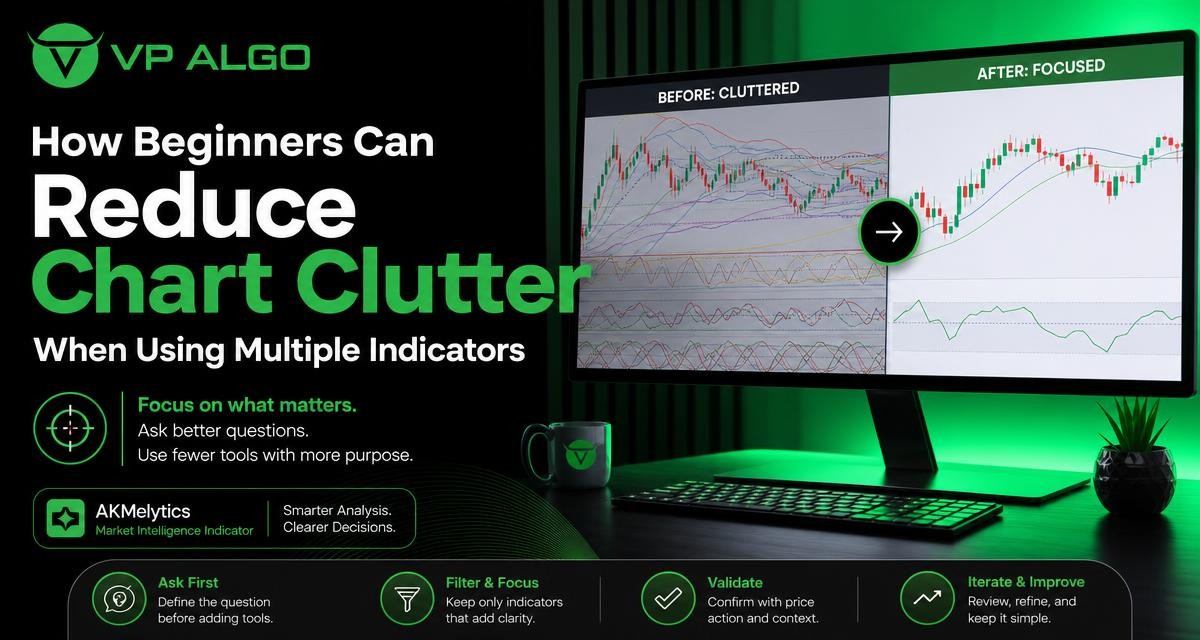
Finding the best trading indicator is not simply a matter of adding the most popular tools to a TradingView chart. Beginners usually get clearer analysis by deciding what question they need to answer first, then choosing one indicator or method that addresses it. A focused chart can make trend, momentum, market structure, and potential setup conditions easier to review without turning every price movement into a conflicting signal.
Why multiple indicators can make a chart harder to read
Indicators are designed to process price and, in some cases, volume or other market data in a particular way. The difficulty begins when several tools measure almost the same thing. For example, a moving average, a trend oscillator, and another trend-following tool may all react to the same price movement. Seeing three similar signals does not necessarily create three independent confirmations.
A crowded chart can also encourage reactive decision-making. When one tool points upward and another points downward, a beginner may keep adding indicators in search of certainty. That process often shifts attention away from the original trading question: Is the market trending, ranging, gaining momentum, or approaching an area that requires caution?
- Too many visual elements can hide the price structure.
- Similar indicators can create an illusion of independent confirmation.
- Conflicting signals may lead to delayed or impulsive decisions.
- Changing settings repeatedly makes it harder to evaluate a consistent process.
- A chart may become difficult to explain or review after a trade.
Start with analytical questions, not indicator names
The most useful starting point is to write down the decision you are trying to make. An indicator should have a defined role in that decision. If you cannot explain what a tool is intended to show, it may not belong on the chart yet.
Beginners can usually organize their review around a small set of questions. These are not automatic buy or sell instructions. They are categories that help separate different types of market information.
| Analytical question | Useful information | Possible chart role |
|---|---|---|
| What is the broader direction? | Higher and lower swing structure, trend alignment, and price location | Trend or market structure view |
| Is price moving with strength? | Momentum and the speed of recent movement | Momentum tool |
| Is the market balanced or expanding? | Range behaviour, volatility, and changing price activity | Context or volatility review |
| Where might attention be concentrated? | Relevant highs, lows, zones, or structural levels | Price-action and structure analysis |
| Do several timeframes tell a similar story? | Higher-timeframe context and lower-timeframe detail | Multi-timeframe review |
This framework keeps tools from competing for the same job. A trend indicator for TradingView may help with directional context, while a momentum indicator for TradingView may address the strength of a move. Neither tool answers every question, and neither should be treated as a complete trading plan on its own.
Build a simple indicator hierarchy
1. Begin with price and market structure
Price should remain the reference point for chart analysis. Before looking at signals, identify visible swing highs, swing lows, ranges, support and resistance areas, or other structural features relevant to your method. This step helps prevent indicators from becoming the only source of interpretation.
A market structure indicator may help organize this information, but it should support—not replace—the habit of observing how price is behaving. A chart with a clear structure and one supporting tool is often easier to understand than a chart with several overlays and no defined hierarchy.
2. Add one tool for directional context
Once structure is considered, choose a tool that helps you describe the broader direction. Depending on the method, this could be a trend indicator, a moving-average-based view, or another approach used to distinguish directional movement from a sideways market.
Give the tool a narrow responsibility. For example, it might help you classify conditions as trending upward, trending downward, or unclear. It does not need to provide the entry, exit, risk decision, and market forecast at the same time.
3. Add momentum only if it answers a separate question
Momentum can provide useful context, but it is frequently overused. If your trend tool already reacts strongly to recent price movement, adding several oscillators may simply repeat the same information. Consider a momentum indicator only when you have a specific reason to examine the strength, persistence, or loss of energy in a move.
Momentum should not be interpreted in isolation. A strong reading may occur during a broader trend, but it may also appear after an extended movement. Combining momentum with structure and price location creates a more balanced review than treating an oscillator value as an automatic instruction.
4. Use specialized tools sparingly
Tools related to institutional activity, smart money concepts, volatility, or volume can be useful when they fit the question being asked. They can also add considerable visual complexity. Before adding one, decide whether it offers information that is genuinely different from the tools already on the chart.
A smart money indicator, for instance, should be evaluated by the type of market context it helps you examine—not by how many labels or signals it displays. More markings do not necessarily mean more accurate analysis. The goal is to identify relevant information and ignore what does not support the current decision.
Use a TradingView trading indicator with a defined job
TradingView makes it easy to add, remove, and customize indicators. That flexibility is useful for testing ideas, but it can also encourage constant experimentation. A practical approach is to create a small number of chart layouts, each designed for a particular analytical purpose.
For example, one layout might be a clean observation chart containing price and basic levels. Another could be a structured review layout with a trend tool and one momentum tool. A third might be used to study a specialized concept. Separating these purposes reduces the temptation to place every available tool on one screen.
When assessing a TradingView trading indicator, ask:
- What market question does this indicator address?
- Does it provide information that is different from my existing tools?
- Is its display helping me notice context, or merely adding labels?
- Can I explain its role before opening a trade?
- Will I use the same interpretation consistently during review?
If the answers are unclear, leave the tool off the main chart while you learn more about it. An indicator can be useful in research without needing to appear in every live chart layout.
Separate confirmation from repetition
Confirmation is valuable only when it comes from meaningfully different observations. A market structure reading, a directional trend assessment, and a momentum observation may offer different perspectives. Three trend-following overlays that respond to the same price movement may offer much less variety than their number suggests.
One way to test for repetition is to temporarily hide each indicator. Observe what changes in your interpretation when the tool is removed. If removing it makes little difference because another indicator already supplies the same information, consider whether the extra visual element is necessary.
A useful chart is not the one with the most signals. It is the one that makes the relevant evidence easier to interpret.
This does not mean every trader should use the same number of indicators. Some methods are based primarily on price action, while others use algorithmic tools to organize several categories of information. The important distinction is whether each element has a clear, non-duplicative purpose.
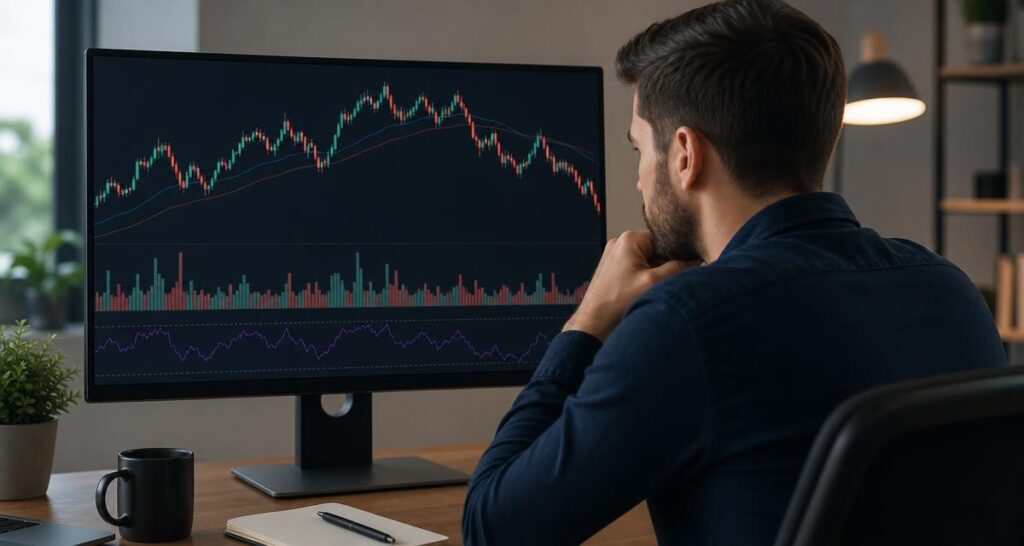
Create a basic chart-cleaning process
Chart organization does not need to be permanent or complicated. A short review can help you remove tools that no longer contribute to your process.
- Save the current layout. Keep a copy before making changes so you can compare the result.
- List every indicator. Write down what each tool is intended to show.
- Group similar tools. Put trend, momentum, volatility, structure, and specialized tools into separate categories.
- Remove obvious duplicates. Temporarily hide tools that appear to answer the same question.
- Review the price chart alone. Note whether the underlying structure becomes easier to see.
- Add back only necessary tools. Each returning indicator should have a clearly stated role.
- Document the interpretation. Record what the tool means in rising, falling, ranging, and unclear conditions.
This process is not a method for discovering a guaranteed signal. It is a way to make your decision process more consistent and easier to evaluate. If a tool changes your decision, you should be able to explain why.
Use multiple timeframes without multiplying confusion
Looking at more than one timeframe can add context, but it can also create another form of clutter. A beginner may see an upward trend on one chart, a downward move on another, and a range on a third. These views are not necessarily contradictory; they may simply describe different portions of the same market movement.
Choose a hierarchy before reviewing the charts. A higher timeframe can provide broad context, while a lower timeframe can show more detailed price behaviour. The exact timeframes depend on the trader’s approach, so the key principle is consistency rather than using a particular combination.
Keep the questions separate:
- What is the broad context on the higher timeframe?
- What is price doing within that context?
- Does the lower-timeframe movement support, challenge, or simply differ from the broader view?
- What information would make the situation unclear rather than actionable?
A multi-timeframe trend assessment should inform context, not force agreement between every chart. Markets can contain shorter moves that run against a broader direction.
Evaluate an indicator before making it part of your routine
Before adopting a new tool, spend time learning what it calculates, how it displays information, and where its interpretation may be limited. Read its documentation when available and observe it across different market conditions. Pay attention to whether signals appear late, change as new price data arrives, or become less useful during ranges and sharp reversals.
Do not judge an indicator solely by an attractive historical example. Past chart behaviour does not guarantee future results, and an indicator cannot remove trading risk. Instead, evaluate whether the tool improves the clarity of your analysis and whether you can apply its rules consistently.
VP ALGO TRADING develops TradingView indicators and algorithmic trading tools, including the AKMelytics – Market Intelligence Indicator. Traders considering any indicator should first understand its intended function, test how it fits their own review process, and treat it as decision-support technology rather than financial advice.
Common mistakes that create chart clutter
Adding tools after every losing trade
A losing trade does not automatically show that an indicator is missing. Adding another tool after each setback can produce an increasingly complicated chart without addressing position sizing, market selection, timing, or discipline. Review the complete process before changing the display.
Using every available signal
Indicators often show many events because they are processing continuous market data. Not every event deserves a response. Define which conditions are relevant to your method and which are simply background information.
Changing settings without records
Constantly adjusting parameters makes comparison difficult. If you test a change, record what was changed, why it was changed, and what you intended to learn. This creates a more useful feedback loop than making undocumented adjustments.
Confusing visual confidence with analytical quality
A chart full of coloured bands, arrows, and labels can feel informative while making the underlying price action harder to see. Visual density is not the same as evidence. Remove anything that does not improve a specific part of your review.
A practical beginner checklist
Use this checklist before adding another indicator to a TradingView chart:
- What decision am I trying to support?
- Which category does that decision belong to: structure, trend, momentum, volatility, or another defined area?
- Is an existing tool already answering the same question?
- Can I describe the indicator’s role in one sentence?
- Will the chart remain readable after adding it?
- Have I observed the tool in more than one type of market condition?
- Am I using it to organize evidence rather than to seek certainty?
If you cannot answer these questions, keep the chart unchanged and continue learning. The best trading indicator for one method may be unnecessary for another. Effectiveness depends on fit, interpretation, and consistent use—not on the number of tools displayed.
Frequently asked questions
What is the best trading indicator for beginners?
There is no single best trading indicator for every beginner. A suitable choice depends on the question being analyzed, such as trend direction, market structure, or momentum. Start with one clearly defined role rather than choosing several tools at once.
How many indicators should I use on TradingView?
Use as many as you can interpret consistently without hiding price structure or repeating the same information. For many beginners, starting with a clean price chart and one or two supporting tools is easier to review than using a crowded layout.
Is a TradingView trading indicator an automatic buy or sell signal?
An indicator is a calculation or analytical aid, not a guarantee of a particular market outcome. It should be considered alongside price structure, context, risk management, and the rules of your own trading plan.
Should trend and momentum indicators be used together?
They can be used together when they answer different questions. A trend tool may describe directional context, while a momentum tool may describe the strength of movement. Avoid adding both if they simply repeat the same signal.
What is a smart money indicator used for?
A smart money indicator may help traders examine concepts related to market structure, institutional activity, or areas of market interest, depending on its design. Learn the specific tool’s methodology and avoid treating its markings as guaranteed trade instructions.
Can reducing chart clutter improve trading results?
Reducing clutter can make a process easier to understand and review, but it cannot guarantee profitable results or eliminate losses. Its main benefit is improved clarity, consistency, and awareness of which information supports a decision.
How should beginners test a new indicator?
Learn its purpose, observe it across different market conditions, document your interpretation, and compare charts with and without the tool. Do not rely on past examples as proof of future performance, and do not change settings without recording the reason.


Recent Comments