
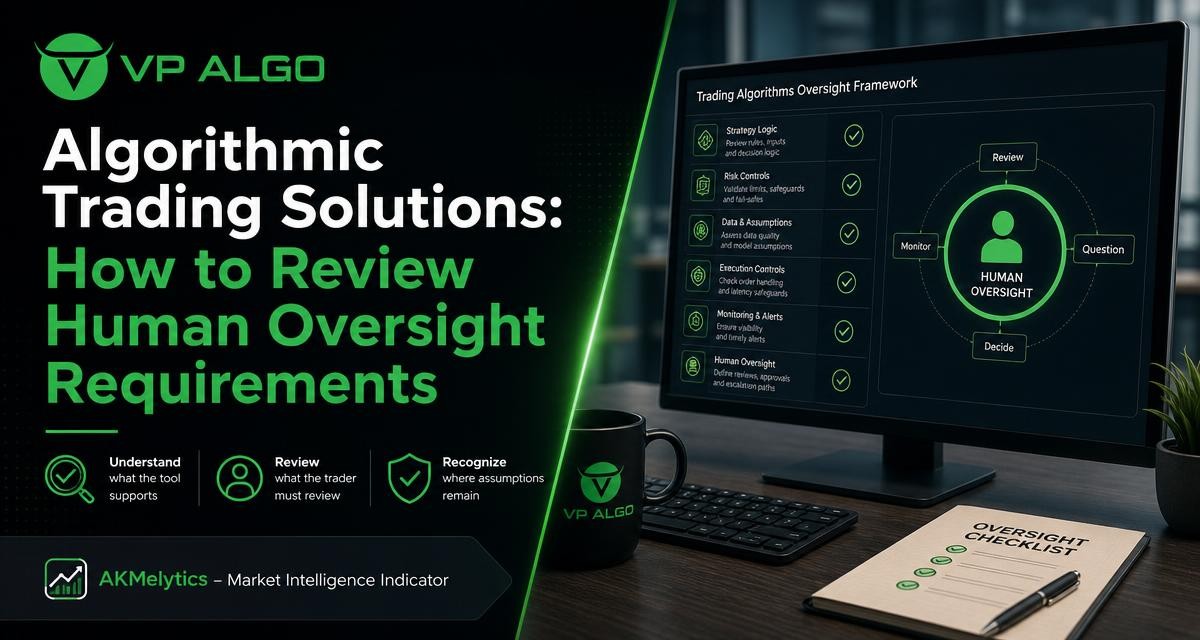
Algorithmic trading solutions can help traders organise market information, identify possible conditions and apply a more consistent analytical process. They do not remove the need for human judgement. Before choosing a tool such as the AKMelytics – Market Intelligence Indicator, prospective users should understand what the software analyses, what the trader must verify and which assumptions remain outside the tool.
What algorithmic trading solutions actually do
The phrase algorithmic trading solutions covers a wide range of software. Some products generate automated orders, while others analyse price data and present structured information through charts, alerts or indicators. These categories should not be treated as interchangeable. A TradingView indicator, for example, may assist with market interpretation without acting as an autonomous trading bot or broker-connected execution system.
For many traders, the practical value is organisation. Instead of reviewing trend, momentum, market structure and other conditions separately, a market intelligence indicator may bring relevant observations into one charting workflow. This can make a process easier to repeat, but the output still requires context. An indication on a chart is not the same as a confirmed trade outcome or financial advice.
Start by identifying the tool’s role
The first oversight question is simple: what is the product designed to support? A trader should distinguish between an analytical indicator, a signal display, an alerting tool and a system that places orders. The answer affects the amount of review required before any decision is made.
| Tool role | What it may help with | What the trader still needs to review |
|---|---|---|
| Market analysis indicator | Organising trend, momentum or structure observations | Chart context, timing, market conditions and personal rules |
| Signal or alert tool | Drawing attention to a possible setup or change | Whether the alert is relevant, current and consistent with the wider plan |
| Multi-factor analysis tool | Combining several analytical concepts in one workflow | How each factor is defined and whether the combination fits the trader’s method |
| Automated execution system | Potentially sending or managing orders through connected infrastructure | Permissions, order logic, risk controls and execution behaviour |
AKMelytics – Market Intelligence Indicator should therefore be evaluated according to its actual function and current product documentation. Prospective users should not assume that an indicator performs tasks that belong to a separate trading bot, broker integration or order management system.
Review the analytical areas covered
A useful buying review looks beyond the label “algorithmic.” Ask which market observations the solution is intended to organise. VP ALGO TRADING develops trading indicators and software tools for TradingView, and its business information describes analytical areas including trend analysis, momentum evaluation, market structure, institutional activity and smart money concepts.
Trend analysis
Trend analysis can help a trader assess the broader direction or current behaviour of price. Oversight remains necessary because a trend observation depends on the chart timeframe and the conditions being examined. A trend indication on one timeframe may not answer what is happening on another.
Momentum evaluation
Momentum analysis is commonly used to consider whether price movement appears to be strengthening or weakening. It should not be read as a guarantee that movement will continue. A trader should review whether momentum information is being interpreted alongside structure, timing and the specific rules of the trading plan.
Market structure
A market structure indicator may help users organise observations about directional movement and significant price behaviour. The key oversight issue is definition: users should understand what the tool identifies as a structural change, how signals are displayed and whether the result is confirmed only after a bar or candle closes.
Institutional activity and smart money concepts
Features associated with institutional flow or smart money concepts can provide an additional analytical lens. They should be treated as part of a decision-support process rather than proof of what a particular market participant will do next. Traders should ask how these concepts are represented and whether the output is suitable for their own analysis.
Separate automation from responsibility
Automation can make a process more repeatable, but it does not transfer responsibility for the decision. The trader remains responsible for checking whether an indication is relevant to the selected instrument, timeframe and strategy. The trader also decides whether the information is sufficient to continue analysing, wait, or take no action.
This distinction is especially important for newer users. A visually clear signal may appear authoritative even when it is only one calculated interpretation of market data. More experienced traders should also review whether the tool changes their existing process in an unintended way, such as encouraging them to take more signals or ignore contradictory information.
A buyer’s framework for reviewing human oversight
1. Define the decision the tool is meant to support
Write down the specific task before assessing the software. Is the goal to review trend, organise market structure, monitor momentum, or bring several observations into a TradingView workspace? A clear purpose makes it easier to judge whether the product is relevant.
2. List the information the tool provides
Review the displayed elements, alerts and available settings. Avoid evaluating a tool only by its marketing name. A buyer should understand which outputs are visible, which are calculated, and which require interpretation by the user.
3. Identify decisions that remain manual
Create a separate list of tasks the trader must perform. These may include selecting a market and timeframe, checking the surrounding price action, comparing multiple analytical factors and deciding whether the setup meets the trader’s own criteria.
4. Examine timing and confirmation
Ask when an indication appears and whether it can change as new market data becomes available. The buyer should understand the difference between an observation during an unfinished period and information available after that period has closed. If the product documentation does not make this clear, request clarification before relying on the output.
5. Check the assumptions
Every algorithmic tool is based on rules, calculations or interpretations. Users should ask what conditions may cause the tool to produce a different result, whether the output depends on timeframe selection and how unusual market behaviour may affect interpretation. Where information is not supplied, it is better to treat the assumption as unknown than to fill the gap with a promise.
6. Build a review checklist
A short checklist helps prevent one signal from becoming the entire decision. It can include:
- What market and timeframe are being reviewed?
- What is the broader trend assessment?
- Does market structure support or conflict with the observation?
- What does momentum suggest, and how reliable is that reading in the current context?
- Are there reasons to wait for more information?
- Does the decision follow the trader’s existing plan?
- What would invalidate the analysis?
Questions to ask before choosing a TradingView indicator
TradingView users should evaluate both the analytical fit and the practical setup process. VP ALGO TRADING offers indicators for TradingView, and its supplied company information states that customers can request a 7-day free trial for its indicator and Telegram channel. Trial availability and conditions should be confirmed directly because eligibility and terms can change.
After purchase, customers are instructed to provide their TradingView ID by email for product access. Support is available for installation, activation or usage assistance according to the supplied business information. A prospective user can use this process to clarify the installation steps and understand how access is applied to the intended TradingView account.
Useful pre-purchase questions include:
- Which analytical functions are included in the current version?
- How are signals, observations or alerts presented?
- What does the trader need to configure?
- Is the tool intended for analysis, alerts, execution, or a defined combination?
- What support is available for installation, activation and general use?
- Which product limitations should the user understand before relying on the output?
Common mistakes when reviewing trading algorithms
Assuming an indicator is an autonomous trading system
An indicator can support analysis without placing trades or managing an account. Buyers should confirm the product’s role rather than infer it from the word “algorithmic.” This avoids expecting broker connectivity, automatic execution or risk management that the tool may not provide.
Treating several signals as independent confirmation
Multiple displayed observations may be derived from related price information. Seeing several labels on one chart does not automatically mean that several independent sources agree. Users should learn how the tool presents its factors and avoid counting every display element as a separate reason to trade.
Ignoring timeframe differences
A reading can look different across timeframes. A trader who does not record the timeframe may later struggle to explain why a signal appeared or changed. Consistent review means noting the timeframe and applying the same interpretation process each time.
Replacing a trading plan with a product
A TradingView indicator can fit within a trading plan, but it should not be mistaken for the plan itself. The user still needs rules for observation, decision-making, risk awareness and review. No indicator eliminates losses or guarantees a particular result.
How to use an algorithmic tool responsibly
Responsible use begins with realistic expectations. Treat the output as analytical assistance, not as official financial advice or a promise of performance. Review the chart yourself, record why an observation was relevant and note when the tool did not fit the market context.
It is also useful to separate evaluation from live decision-making. A trader can first learn the interface, review the available information and test whether the workflow is understandable. The purpose of this process is not to assume that past observations predict future outcomes, but to determine whether the tool can be used consistently within the trader’s own approach.
The central buying question is not whether a tool can make every decision automatically. It is whether the tool makes the trader’s review process clearer while leaving assumptions visible.
What a good fit looks like
Algorithmic trading solutions may be a good fit for users who want a structured TradingView workflow covering areas such as trend, momentum, market structure, institutional activity and smart money analysis. They may be less suitable for someone looking for guaranteed outcomes, fully autonomous execution or personalised financial guidance.
The right evaluation is therefore practical. Confirm the product’s role, understand the information it displays, identify the decisions that remain manual and ask how the tool fits the trader’s existing process. For AKMelytics – Market Intelligence Indicator, prospective users should review the current product information and contact VP ALGO TRADING for questions about access, installation, activation and use.
Frequently asked questions
Are algorithmic trading solutions fully automatic?
No. The term includes different types of software. Some tools analyse market information or display indicators, while other systems may support automated execution. Confirm the specific function of the product before buying or using it.
Does a TradingView indicator place trades automatically?
Not necessarily. A TradingView indicator may provide chart-based analysis, observations or alerts without placing orders. Users should verify the product’s supported functions rather than assume it operates as a trading bot.
What should traders review before acting on an indicator?
Review the market, timeframe, trend, momentum, structure and the wider trading plan. Also consider whether the indication is confirmed, whether assumptions are understood and what would invalidate the analysis.
Can a smart money indicator guarantee profitable trades?
No. Smart money concepts and related indicators are analytical tools, not guarantees. Market conditions can change, and an indicator does not eliminate trading losses or predict future results.
What human oversight is required when using trading algorithms?
The trader should select the context, interpret the output, compare it with a personal plan and decide whether to continue, wait or take no action. The trader also remains responsible for understanding limitations.
What support is available for the AKMelytics indicator?
According to the supplied business information, customers can contact VP ALGO TRADING for installation, activation or usage assistance. After purchase, customers are instructed to provide their TradingView ID by email for product access.


Recent Comments